QNAP is the stronger all-round NAS brand in Australia with deeper software, wider connectivity, and a proven distribution network, but TerraMaster undercuts it on price and delivers surprisingly capable hardware for home users on a budget. This comparison breaks down the real differences between these two brands as they stand in Australia in 2026. Including AU pricing from major retailers, software maturity, warranty realities, and which models suit specific use cases.
For a broader overview of this topic, see our complete QNAP ecosystem guide.
In short: QNAP suits technical users, businesses, and anyone who needs advanced software, virtualisation, or high-speed networking. TerraMaster suits home users and budget-conscious buyers who want solid hardware specs at a lower price and are comfortable with a less mature software ecosystem. QNAP officially lists two Australian distributors, while TerraMaster has an Australian distributor; public information does not establish comparative warranty outcomes or resolution times, so business buyers should confirm support arrangements with their retailer.
Brand Overview: Two Very Different Approaches
QNAP has been selling NAS devices in Australia for over a decade through established distributors like BlueChip and Dicker Data. Their mainstream NAS range offers QTS and QuTS hero; QNAP also uses QES on specialised dual-controller enterprise systems, manufacture their own network switches (the QSW series), and target everything from home users to enterprise environments. Their product catalogue is massive. Which is both a strength for technical buyers and a source of confusion for everyone else.
TerraMaster is a Chinese NAS manufacturer that has gained traction in Australia over the past few years, primarily through competitive pricing and hardware specs that punch above their price point. Their Australian distribution runs through Encomtech Australia, with retail availability through stores like Scorptec and Mwave. TerraMaster runs TOS (TerraMaster Operating System), which has improved significantly but still trails QNAP's QTS in feature depth and third-party app support.
If you are new to NAS entirely, start with our beginner's guide to NAS before diving into brand comparisons. For a broader view of the Australian NAS market, see our best NAS Australia roundup.
AU Pricing Comparison: Current Models
2-Bay Models
2-Bay NAS: QNAP vs TerraMaster (AU Pricing)
| QNAP TS-233 |
 QNAP TS-216G
|
 QNAP TS-264-8G
|
 TerraMaster F2-425
|
TerraMaster F2-425 Plus
|
|
|---|---|---|---|---|---|
| CPU | ARM Cortex-A55 2.0 GHz processor | ARM 4-core Cortex-A55 2.0GHz processor | Intel Celeron N5095 Quad-Core 2.9GHz | Intel Celeron N5095 | Intel N150 |
| RAM | 2GB | 4GB | 8GB | 4GB (est.) | 4GB (est.) |
| Network | 1GbE | Dual 2.5GbE | Dual 2.5GbE | 1x 2.5GbE | 2.5GbE |
| M.2 Slots | No | No | 2x M.2 NVMe | No | 2x M.2 NVMe |
| AU Price (Scorptec) | $399 | $599 | ~$1029 (PLE Computers) | $400 | $400 (Scorptec) |
| AU Price (PLE) | $439 (PLE Computers) | $529 (PLE Computers) | $1,049 (PLE Computers) | Not currently listed by PLE | Not currently listed by PLE |
Prices last verified: 27 February 2026. Always check retailer before purchasing.
At the 2-bay level, the TerraMaster F2-425 at $399 from Umart competes directly with the QNAP TS-233 at $369 from Scorptec, but the TerraMaster offers a faster Intel CPU and 2.5GbE networking versus QNAP's ARM processor and 1GbE. The QNAP TS-216G uses an ARM chip and provides one 2.5GbE port plus one 1GbE port. The TerraMaster F2-425 Plus has 8GB DDR5, three M.2 NVMe slots and dual 5GbE; the QNAP TS-264-8G has 8GB DDR4, two M.2 slots and dual 2.5GbE. Compare their live AU prices before purchase.
4-Bay Models
4-Bay NAS: QNAP vs TerraMaster (AU Pricing)
 QNAP TS-433-4G
|
 QNAP TS-464-4G
|
 QNAP TS-473A-8G
|
 TerraMaster F4-425
|
 TerraMaster F4-424 Pro
|
|
|---|---|---|---|---|---|
| CPU | ARM Cortex-A55 2.0GHz processor | Intel Celeron N5095 | AMD Ryzen Embedded V1500B | Intel Celeron N5095 | Intel Core i3-N305 |
| RAM | 4GB | 8GB | 8GB | 4GB (est.) | 32GB |
| Network | 2.5GbE | Dual 2.5GbE | Dual 2.5GbE | 2.5GbE | Dual 2.5GbE |
| M.2 Slots | No | 2x M.2 NVMe | 2x M.2 NVMe | No | 2x M.2 NVMe |
| AU Price (Scorptec) | $689 | $1432 | $1,401 | $584 | ~$1117 (Mwave) |
| AU Price (PLE) | $699 (PLE Computers) | $1,129 (PLE Computers) | $1,489 (PLE Computers) | Not currently listed by PLE | Not currently listed by PLE |
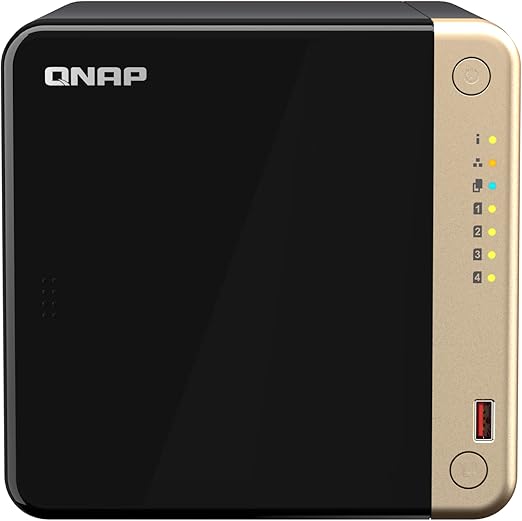
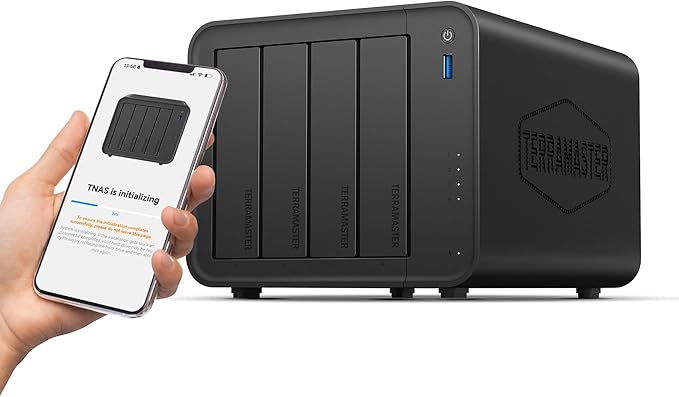
The 4-bay segment is where the competition gets interesting. Current Scorptec listings place the TerraMaster F4-425 at $679 and the ARM-based QNAP TS-433-4G at $699; check live prices before purchase. Both have 2.5GbE, but the TerraMaster's Intel CPU is significantly more capable for tasks like Plex transcoding and Docker containers.
The F4-424 Pro remains available in some channels, but TerraMaster launched the next-generation F4-425 Pro in June 2026; compare the current model variants and live AU pricing before choosing between it and the TS-473A-8G. On raw hardware value, TerraMaster wins this matchup convincingly. But hardware is only part of the story. The software and ecosystem differences covered below are where QNAP justifies its premium.
For a deeper look at QNAP's 4-bay sweet spot, see our QNAP TS-464 review.
6-Bay and Above
6+ Bay NAS: QNAP vs TerraMaster (AU Pricing)
 QNAP TS-664-8G
|
 QNAP TS-673A-8G
|
 TerraMaster F6-424 Max
|
 TerraMaster F8 SSD Plus
|
|
|---|---|---|---|---|
| Bays | 6 | 6 | 6 (HDD+SSD hybrid) | 8 (SSD only) |
| CPU | Intel Celeron N5095 | AMD Ryzen Embedded V1500B | Intel Core i5-1235U | Intel i3 N305 |
| RAM | 8GB | 8GB | 8GB | 16GB |
| Network | Dual 2.5GbE | Dual 2.5GbE | Dual 10GbE | 10GbE |
| AU Price (Scorptec) | $1,589 (Scorptec) | $1,799 (Scorptec) | $1,649 (Scorptec) | $1,299 (Scorptec) |
| AU Price (Mwave) | $2,474.70 (Mwave) | $1,795.45 (Mwave) | $1,699.99 (Mwave) | $1,299.99 (Mwave) |
At the 6-bay level, the QNAP TS-664-8G at $1,649 and the TerraMaster F6-424 Max at $1,699 are priced almost identically. But the TerraMaster brings a much more powerful Intel Core i5-1235U processor and a hybrid HDD+SSD bay layout. The TerraMaster F8 SSD Plus at $1,299 is an all-flash 8-bay NAS with an Intel i3 N305 and 16GB RAM. A unique offering that QNAP does not directly match at that price point.
QNAP's advantage at this tier is that the TS-673A-8G at $1,899 from PLE offers an AMD Ryzen processor and full QTS/QuTS Hero support, which matters for business deployments needing ZFS data integrity and inline deduplication specifically -- TerraMaster now offers snapshots on TOS 7, but not ZFS or QNAP's deduplication.
Software and Operating System
This is where the gap between QNAP and TerraMaster is most significant, and where QNAP justifies its higher prices.
QNAP: QTS and QuTS Hero
QNAP offers two operating systems. QTS runs on the ext4 file system and suits most home and SMB users. It includes a comprehensive app centre, Docker support (Container Station), virtualisation (Virtualization Station), SSD caching with Qtier auto-tiering, and a wide range of backup and sync tools. QuTS Hero uses the ZFS file system and targets commercial and enterprise environments with features like inline deduplication, self-healing data integrity, WORM compliance, RAID-TP (triple parity), and SnapSync for near-real-time disaster recovery.
The breadth of QNAP's software ecosystem is genuinely impressive. QVR Surveillance, HDMI output on supported models, a virtualisation hypervisor, and Docker integration make QTS a broad NAS software platform. IT providers frequently choose QNAP when a client has a specific technical requirement. Thunderbolt for video editing, virtualisation for development, or a mixed storage configuration that other brands don't offer.
For more detail on QTS vs QuTS Hero and which suits your workload, see our QNAP NAS Australia guide.
TerraMaster: TOS
TerraMaster's TOS operating system has improved considerably from its early days, but it remains a tier below QNAP's QTS in several important areas. TOS covers the basics well. File sharing (SMB, NFS, AFP), RAID management, user accounts, basic backup tools, and a growing app ecosystem. Recent TOS versions have added Docker support, which significantly expands what TerraMaster devices can do.
Where TOS falls short compared to QTS: the app ecosystem is smaller, surveillance station capabilities are more limited, virtualisation support is less mature, there is no equivalent to QuTS Hero's ZFS-based data integrity features, and the snapshot and backup tools are less sophisticated. For a home NAS running file sharing, Plex media server, and basic backups, TOS is perfectly adequate. For a business NAS where data integrity, compliance, or advanced backup workflows matter, QTS and QuTS Hero are in a different league.
Pros
- QNAP QTS: Mature, feature-rich with massive app ecosystem
- QNAP QuTS Hero: Enterprise-grade ZFS with deduplication and self-healing
- QNAP: Virtualisation Station and Container Station are well-established
- TerraMaster TOS: Covers home user basics well at a lower cost
- TerraMaster: Docker support now available, expanding functionality
Cons
- QNAP: Steeper learning curve, interface can feel cluttered
- QNAP: QuTS hero requires at least 8GB RAM; inline deduplication requires at least 16GB, with 32GB or more recommended for best performance
- TerraMaster TOS: Smaller app ecosystem than QTS
- TerraMaster TOS does not use ZFS or provide QuTS hero's inline ZFS deduplication, but it does offer Btrfs snapshots and HyperLock-WORM.
- TerraMaster: Surveillance and virtualisation less mature
Hardware and Connectivity
On pure hardware specifications per dollar, TerraMaster frequently matches or beats QNAP. TerraMaster's recent models use current-generation Intel processors, often with more RAM included than QNAP offers at the same price point. The F4-424 Pro shipping with 32GB of RAM and an Intel Core i3 for $1,116 is a standout example. QNAP has nothing at that price with comparable hardware.
QNAP's hardware advantage lies in connectivity breadth. QNAP offers models with 10GbE (both RJ45 and SFP+), Thunderbolt 4, 25GbE, and even 100GbE on enterprise models. For video editing workflows needing high-speed connectivity, QNAP offers the widest range, including 25GbE and 100GbE enterprise options. TerraMaster offers 5GbE and 10GbE models, including the F2-425 Plus, F6-424 Max and F8 SSD Plus, and now also offers Thunderbolt 4 on the F6-425 Pro, so Thunderbolt and 10GbE are no longer QNAP-exclusive.
QNAP also manufactures their own QSW network switches. A range of 2.5GbE, 10GbE, and even 25GbE/100GbE switches that pair naturally with their NAS devices. A QNAP NAS plus a QSW switch creates a convenient single-vendor high-speed storage and networking solution. If you are planning to upgrade your home or office network beyond gigabit, this integrated ecosystem is a genuine advantage. See our NAS networking guide for more on setting up high-speed connections.
Australian Distribution, Support, and Warranty
This is another area where QNAP has a meaningful advantage over TerraMaster in Australia, and it matters more than most buyers realise until something goes wrong.
QNAP Distribution in Australia
QNAP is distributed in Australia through Bluechip Infotech and Dicker Data. Stock availability and replenishment times vary by model and retailer. This means when you buy a QNAP from a retailer like Scorptec, PLE, or Mwave, there is a reliable supply chain behind the purchase.
BlueChip has kept the brand on track in Australia through a period of change at QNAP, which is an unusual example of a distributor carrying a vendor.
TerraMaster Distribution in Australia
TerraMaster is distributed through Encomtech Australia. You will find TerraMaster at Scorptec and Mwave. Amazon AU is also a source for TerraMaster devices, sometimes at prices below local retailers.
The practical impact: if a TerraMaster NAS fails under warranty, the path to replacement runs through Encomtech Australia. TerraMaster has an Australian distributor and Australian retail availability. However, public information does not establish comparative distributor stock levels, warranty-process maturity, or resolution times for TerraMaster and QNAP. Australian Consumer Law applies regardless.
ACL note: Australian Consumer Law protections apply when purchasing from Australian retailers regardless of brand. You can seek an Australian Consumer Law remedy from the retailer; manufacturers also have obligations under the ACL and any applicable express warranty. Confirm local repair and RMA arrangements with the retailer or vendor before purchase. Retailer and vendor escalation processes vary, so confirm the specific repair, replacement and RMA path before purchase. Resolution time varies by the fault and remedy; Australian Consumer Law does not prescribe a universal two-to-three-week minimum. Before buying, ask your retailer: "If this fails, what is your warranty process? Is an advanced replacement available?" For official information on consumer rights, visit accc.gov.au.
Where to Buy: Retailer Options
Both brands are available from Australian specialist retailers, though QNAP has broader availability. For detailed retailer recommendations, see our where to buy NAS in Australia guide.
QNAP: Available from Scorptec, PLE, Mwave, DeviceDeal, QNAP Shop, NAS Marketplace, and others. QNAP is listed by multiple Australian specialist retailers, but stock and pricing vary by model, retailer and promotion. NAS margins can vary by retailer and product, so shop on trust and support rather than chasing a $10 saving.
TerraMaster: Available from Scorptec and Mwave, with some models on Amazon AU. Narrower retail footprint. Purchases through Amazon AU remain subject to applicable Australian Consumer Law; check whether Amazon or a marketplace seller is the seller of record and review that seller's repair, replacement and refund process. For a device that stores your data, a specialist retailer is worth the small premium.
For business, education, and government purchases, always request a formal quote rather than buying at listed retail price.
Security Track Record
QNAP has had several high-profile security incidents, including ransomware attacks targeting NAS devices exposed to the internet. These incidents were concerning but, QNAP offered QRescue assistance for certain Qlocker cases, but recovery was conditional and not guaranteed; QNAP states that it cannot decrypt non-Qlocker ransomware without the encryption key, and the events drove improved security features in subsequent QTS updates. The more important takeaway is that any NAS exposed to the internet is a potential target regardless of brand. Proper security practices matter more than the logo on the box.
TerraMaster has a lower public profile for security incidents, which could reflect either better security or simply less market share making them a less attractive target. As TerraMaster grows, expect more scrutiny of their security practices. Both brands should be configured with VPN access rather than direct internet exposure, strong credentials, disabled UPnP, and regular firmware updates. See our NAS security and ransomware protection guide for best practices.
Upload speed depends on the current retail plan and access technology: many eligible FTTP/HFC services formerly sold as 100/20 moved to 500/50 wholesale profiles in September 2025, while other 100 Mbps services can retain lower upload limits, remote access performance will be limited by your internet upload speed regardless of brand. If your ISP uses CGNAT (Carrier-Grade NAT), direct remote access may be blocked entirely. Check with your ISP or consider a VPN solution. Our NAS remote access and VPN guide covers the options.
Use Case Recommendations
When TerraMaster Is the Better Choice
Budget-focused home NAS: If you want a 2-bay or 4-bay NAS for home file sharing, Plex media streaming, basic backups, and light Docker use, TerraMaster delivers more hardware per dollar. The F4-425 with an Intel Celeron is a strong home NAS that handily outperforms ARM-based alternatives from QNAP at the same price.
Plex and media server: TerraMaster's Intel processors handle Plex transcoding well, and the F4-424 Pro with 32GB RAM and an i3 processor at $1,116 is an excellent Plex machine. See our best NAS for Plex Australia guide for more options.
All-flash SSD storage: The TerraMaster F8 SSD Plus at $1,299 is an 8-bay all-SSD NAS with an i3 N305 and 16GB RAM. QNAP does not offer a directly comparable all-flash product at this price point. If silent operation and SSD performance are priorities, TerraMaster has a unique offering here. See our SSD and all-flash NAS guide for context.
When QNAP Is the Better Choice
Business and SMB deployments: QNAP's QTS and especially QuTS Hero provide business-grade features that TerraMaster cannot match. QNAP provides QuTS hero features that TOS does not directly match, including ZFS inline deduplication and SnapSync. TerraMaster TOS nevertheless provides Btrfs snapshots and HyperLock-WORM, so suitability depends on the required data-protection and compliance features. See our best NAS for small business guide.
High-speed networking: QNAP offers Thunderbolt 4 and 25GbE options, but it is not the only 10GbE choice: TerraMaster also sells several 10GbE NAS models. Combined with QNAP's QSW network switches, you can build a complete high-speed storage network from a single vendor. A 5-port 10GbE QSW switch for a few hundred dollars lets you run high-speed connections to your NAS, workstation, and backup target without buying a $2,000 enterprise switch.
Video editing and creative workflows: QNAP models with Thunderbolt 4 connectivity (like the TVS series) provide direct-attached-storage speeds over Thunderbolt while maintaining NAS functionality. QNAP has established Thunderbolt 4 NAS options for creative workflows, but TerraMaster now also offers the F6-425 Pro with Thunderbolt 4 bridge connectivity and dual 10GbE. See our best NAS for video editing guide.
Virtualisation and development: QNAP's Virtualization Station and Container Station are mature platforms with years of development. The QNAP enthusiast community includes developers who use QNAP NAS devices as software development and testing platforms. That depth of technical capability is something TerraMaster has not yet achieved. See our Docker and virtualisation NAS guide.
Surveillance: Current QNAP models use QVR Surveillance or QVR Pro; the legacy Surveillance Station application has reached end of service and is not supported on models released from 2021 onward. TerraMaster's surveillance capabilities are more limited. For dedicated NVR use, QNAP is significantly ahead. See our best NAS for surveillance guide.
Head-to-Head: Key Matchups at Popular Price Points
Under $500: Entry-Level 2-Bay
The TerraMaster F2-425 at $399 (Umart) versus the QNAP TS-233 at $369 (Scorptec). The TerraMaster wins on hardware. Intel Celeron vs ARM, with 2.5GbE networking. The QNAP wins on software maturity and ecosystem. For a first-time home NAS buyer who just wants file sharing and basic backups, either works. For anyone planning to run Plex, Docker, or anything CPU-intensive, the TerraMaster's Intel chip is the better foundation, though it costs about $30 more at the prices stated here. See our best NAS under $500 for more options in this range.
Under $1,000: Mid-Range 4-Bay
The TerraMaster F4-425 at $679 from Scorptec versus the QNAP TS-464-8G at a market price of about $1,129. Based on the prices stated in this paragraph, the gap is about $450. The QNAP offers 8GB RAM, dual 2.5GbE, M.2 NVMe slots, and the full QTS ecosystem. The TerraMaster offers similar CPU performance at a lower price but with less RAM and a less mature operating system. The QNAP TS-464 is our pick for buyers who plan to grow their NAS usage over time. The software ecosystem and expandability justify the premium. The TerraMaster F4-425 suits buyers who have a clear, defined use case and want to spend less. See our best NAS under $1,000 guide.
Around $1,116: Power User 4-Bay
The TerraMaster F4-424 Pro at $1,116 versus the QNAP TS-473A-8G at $1,401. The TerraMaster comes with a Core i3 processor and 32GB of RAM. Substantially more hardware than the QNAP's AMD Ryzen V1500B with 8GB. On raw hardware, the TerraMaster wins decisively. But the QNAP supports QuTS Hero with ZFS, offers PCIe expansion for 10GbE or additional NVMe, and has a deeper app ecosystem. For a home power user or media server, the TerraMaster is the better value. For a business deployment, the QNAP's software platform is worth the extra $301.
Storage and Backup Considerations
A NAS is not automatically a complete backup: it can serve as one backup copy when the original remains elsewhere, but RAID alone is not a backup. Both QNAP and TerraMaster support RAID configurations (RAID 1, 5, 6), but RAID protects against drive failure, not against ransomware, accidental deletion, fire, or theft. Follow a 3-2-1 backup strategy: three copies of your data, on two different media types, with one copy offsite.
QNAP has a clear advantage in backup sophistication. QTS includes Hybrid Backup Sync for multi-destination backup, snapshot support across both QTS and QuTS Hero, and SnapSync for near-real-time replication between QNAP NAS devices. QuTS Hero's ZFS snapshots are space-efficient and provide point-in-time recovery that is genuinely enterprise-grade.
TerraMaster's backup tools cover the basics. USB backup, cloud sync to major providers, and rsync. But lack the depth and flexibility of QNAP's offerings. If you have a simple backup workflow (NAS to external drive, NAS to cloud), TerraMaster handles it fine. If you need sophisticated multi-site replication or immutable snapshots for ransomware protection, QNAP is the better platform. See our NAS backup software guide for detailed comparisons.
Drive compatibility: Both QNAP and TerraMaster work with standard NAS-grade drives like the Seagate IronWolf and WD Red series. Budget $200+ for a 4TB NAS drive in Australia. See our best NAS hard drive Australia guide and Seagate IronWolf vs WD Red comparison for current recommendations.
The Verdict: Which Brand Suits You?
This is not a case where one brand is universally better than the other. QNAP and TerraMaster serve different buyer profiles with different priorities.
Choose TerraMaster if: You are a home user who wants the most hardware per dollar, your primary use cases are file sharing and media streaming, you are comfortable with a less mature software ecosystem, and you do not need high-speed networking beyond 2.5GbE. The TerraMaster F4-425 at $679 from Scorptec and the F4-424 Pro at a market price of about $1,100 are strong value picks that deliver excellent hardware at prices QNAP cannot match.
Choose QNAP if: you specifically need QuTS hero's ZFS and inline deduplication, SnapSync, QNAP's broader app ecosystem, or its wider range of 25GbE and enterprise connectivity options. TerraMaster now also offers snapshots, WORM, virtual machines, 10GbE and Thunderbolt 4 on selected models. QNAP's software platform and connectivity options are in a different class from TerraMaster's, and that gap is worth paying for when your use case demands it.
Don't let either brand's past reputation make the decision for you. Evaluate based on your specific requirements, budget, and how much you value software maturity versus hardware value. For a broader perspective on how both brands compare to the rest of the market, see our best NAS Australia roundup, or explore our dedicated brand guides for best QNAP NAS and TerraMaster NAS Australia.
Related reading: our Synology vs QNAP comparison.
Our RAID Calculator shows usable capacity for both brands' drive configurations, and our NAS Sizing Wizard helps match the right model to your actual storage needs.
Once you have chosen your NAS, get a second opinion on the full build. Drives, RAID type, network setup, and backup strategy. Before committing. $149 AUD, delivered within 3 business days.
See also: our complete QNAP ecosystem guide.
See also: our complete QNAP ecosystem guide.
See also: our complete QNAP NAS Australia guide.
Is TerraMaster a good NAS brand in Australia?
TerraMaster is a legitimate NAS brand that offers competitive hardware at lower prices than QNAP and Synology. Their NAS devices are available from Australian retailers like Scorptec and Mwave, and Australian Consumer Law protections apply. The trade-off is a less mature software ecosystem (TOS vs QTS) and fewer advanced features for business use. For home file sharing, media streaming, and basic backups, TerraMaster is a solid budget choice. For business-critical storage, QNAP or Synology remain safer options.
Can I run Plex on a TerraMaster NAS?
Yes. Compatible TerraMaster models with supported Intel processors can use Plex hardware-accelerated transcoding, but this requires an active Plex Pass and performance varies by model, codec, resolution and client. The F4-424 Pro with its Core i3 and 32GB RAM is particularly capable as a Plex media server. The QNAP TS-464 is Intel-based and supports hardware-accelerated transcoding; the TS-473A uses AMD Ryzen and requires an optional compatible GPU for hardware-accelerated transcoding. For Plex specifically, TerraMaster's hardware advantage at lower price points makes it a strong contender. See our best NAS for Plex Australia guide for detailed recommendations.
Does TerraMaster support Docker containers?
Yes, recent versions of TOS include Docker support, allowing you to run containers for services like Home Assistant, Pi-hole, Nextcloud, and many others. QNAP's Container Station is more mature and has been available longer, with better integration into the NAS interface and more community resources. If Docker is a core requirement, QNAP offers a more polished experience, but TerraMaster's Docker support is functional and improving. See our Docker and virtualisation NAS guide for setup details.
Is QNAP more secure than TerraMaster?
QNAP has had more publicly reported security incidents, including ransomware attacks, but this partly reflects their larger market share making them a bigger target. Both brands should be configured with the same security practices: disable UPnP, use VPN for remote access instead of exposing the NAS directly to the internet, enable strong passwords, keep firmware updated, and enable snapshot protection against ransomware. No NAS brand is immune to security threats. Your configuration matters more than the brand name.
Can I get warranty support for TerraMaster in Australia?
Yes. If you purchase from an Australian retailer, Australian Consumer Law requires that retailer to handle warranty claims. Retailer and vendor escalation processes vary; confirm whether a particular retailer handles the claim directly or uses Encomtech Australia and TerraMaster's RMA process. Resolution time varies with the fault, remedy, retailer and supply arrangements; Australian Consumer Law does not prescribe a universal two-to-three-week minimum. QNAP has two listed Australian distributors, but public information does not establish whether this results in faster replacement availability. Before purchasing either brand, ask your retailer about their specific warranty process. This information is general guidance, not legal advice. Visit accc.gov.au for official consumer rights information.
Should I buy a QNAP or TerraMaster for a small business?
QNAP is the stronger choice for small business deployments. QuTS Hero's ZFS file system provides enterprise-grade data integrity with self-healing, inline deduplication, and immutable snapshots. QNAP also offers more sophisticated backup and disaster recovery tools, delegated administration with multiple admin account types, and WORM compliance for industries with data retention requirements. TerraMaster TOS 7 does not provide ZFS or inline ZFS deduplication, but it does provide Btrfs snapshots, HyperLock-WORM volumes and a KVM-based virtual-machine application. The price premium for QNAP is justified when your business data is at stake. See our best NAS for small business and best business NAS under $2,000 guides.
How does QNAP compare to TerraMaster for home use?
For straightforward home use. File sharing, photo backup, media streaming. TerraMaster offers better hardware value. Current Scorptec listings show the Intel N5095-based F4-425 at $679 and the ARM-based TS-433-4G at $699; check live pricing before purchase. If your home NAS requirements are simple and well-defined, TerraMaster saves you money without sacrificing meaningful functionality. If you plan to expand into Docker containers, surveillance cameras, virtualisation, or advanced backup workflows over time, QNAP's deeper software ecosystem will serve you better long-term. See our best NAS for home Australia guide.
Not sure which NAS brand suits your needs? Our comprehensive Australian NAS buying guide covers all major brands with current pricing and honest recommendations.