Independent Australian Storage & Infrastructure Authority
NTKIT picks

UGREEN Accessories Australia

UGREEN now makes everything from USB-C chargers and docks to power banks, Ethernet adapters and storage accessories. We've sorted the range into the products and categories that make sense, and explained who each one is actually for.

Shop by category

Find the right UGREEN category

Our shortlist

Don't want to browse everything? Start here

Do not want to browse 20 products? These are the picks we'd point most people to first.

Best for Most People
UGREEN Nexode 100W 5-Port Charger

Nexode 100W 5-Port Charger

A solid everyday charger for a laptop, phone and a couple of other devices from one brick.

UGREEN specifies 100W across a mix of USB-C and USB-A ports, positioning it as a general-purpose 5-port desk charger between the smaller single-device bricks and the larger multi-laptop units.

Best for

Everyday desk or travel charging for a laptop plus phone and accessories.

Watch out

Like most shared-GaN chargers, only one port hits the full rated wattage; plugging in several devices at once splits the power, so a laptop sharing the brick with other gear may charge slower.

Best for External SSDs
UGREEN Revodok Pro 207 7-in-1

Revodok Pro 207 7-in-1

A genuine speed upgrade over the non-Pro Revodok docks, with dual 4K/60Hz output and no driver needed.

UGREEN specifies dual HDMI at 4K/60Hz plus 10Gbps USB-C and USB-A ports, double the data speed of the Revodok 1071 despite sharing the same "7-in-1" port count.

Best for

Fast external-SSD work alongside a 4K/60 display or two lower-resolution displays, without needing driver software.

Watch out

No Ethernet port, unlike the Pro 209 below, if you need wired networking from the same dock, that model is the one to check instead.

Best for Travel Laptops
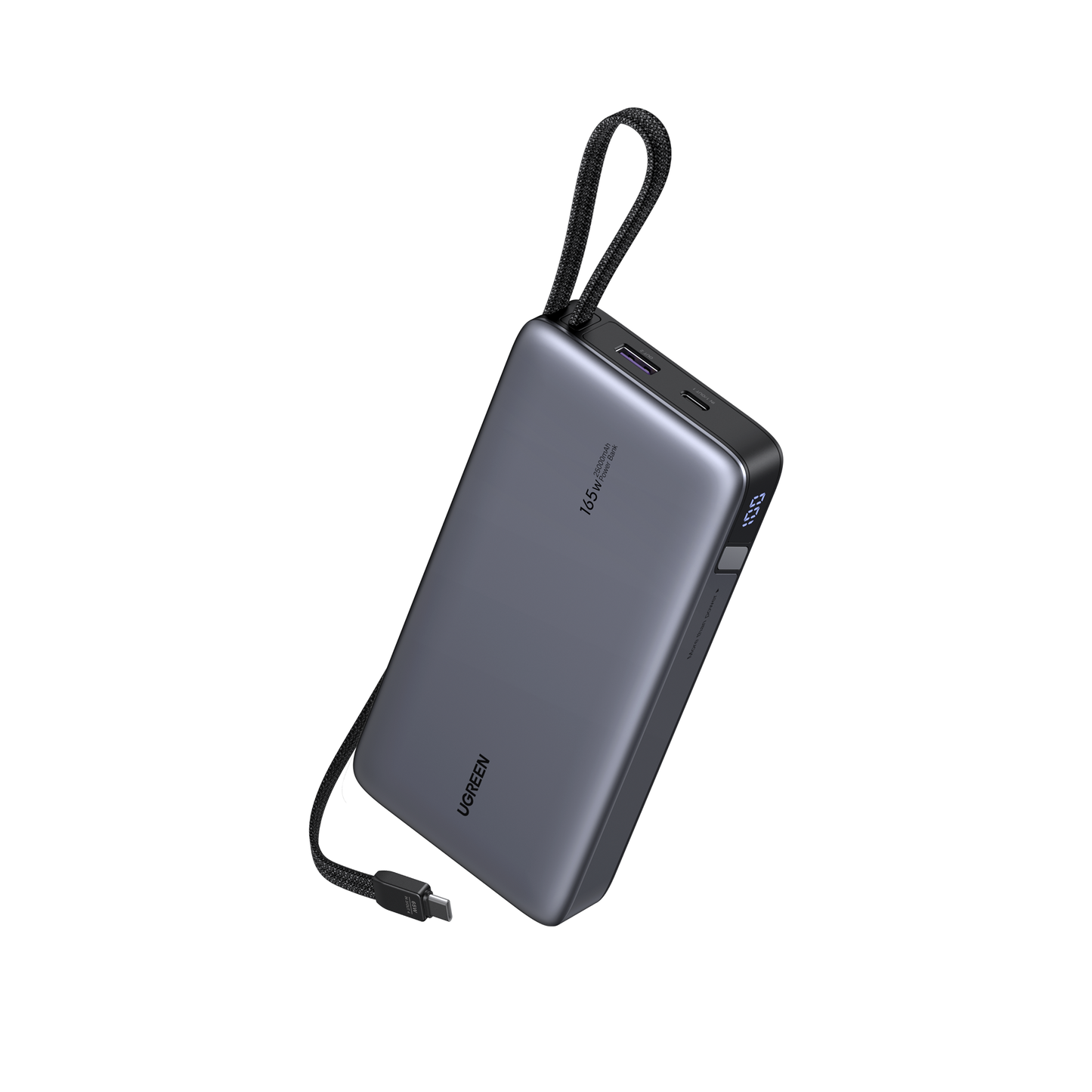
UGREEN Nexode 165W 25000mAh Power Bank

Nexode 165W 25000mAh Power Bank

The highest-capacity, highest-output bank here, with two cables built in so you never need a spare.

UGREEN specifies a 90Wh, 25000mAh bank with two built-in USB-C cables (up to 140W and 65W) plus separate ports, able to charge up to 4 devices at once.

Best for

Business travellers who need to keep a laptop, phone and another device charged on the road without packing extra cables.

Watch out

90Wh sits right at the maximum most airlines allow in carry-on luggage, and the two built-in cables add real bulk and weight versus a cable-less bank.

Best for 2.5GbE
UGREEN USB-C to 2.5G Ethernet Adapter

USB-C to 2.5G Ethernet Adapter

The only genuine faster-than-Gigabit networking option in this lineup.

UGREEN specifies a real 2.5Gbps Ethernet adapter using an RTL8156BG chipset, backward-compatible down to 10Mbps.

Best for

Laptop users with a 2.5GbE-capable router, switch or NAS who want a wired upgrade path over Wi-Fi or Gigabit.

Watch out

2.5GbE only helps if the router, switch or NAS on the other end also supports 2.5GbE, on an ordinary Gigabit network, it will not speed anything up.

Best for Thunderbolt/USB4
UGREEN 40Gbps M.2 NVMe Enclosure

40Gbps M.2 NVMe Enclosure

A genuinely faster enclosure than the 10Gbps model, but only on the right port.

UGREEN specifies up to 40Gbps (USB4/Thunderbolt-class) with passive fin cooling and no fan, supporting common M.2 NVMe drive sizes, a real speed-tier difference from the 10Gbps model, not just marketing.

Best for

Video editors or power users with a USB4 or Thunderbolt port who want to actually see NVMe-class external speeds.

Watch out

Needs a USB4/Thunderbolt host port to hit its rated speed, on an ordinary USB-C 10Gbps laptop port, it runs no faster than the cheaper 10Gbps enclosure below.

Chargers

Chargers

30-65W suits phones, tablets and light everyday charging. 65-100W is general-purpose laptop-and-phone territory. 150W+ covers demanding laptops or several devices at once, and desktop multi-port chargers make sense once you are replacing more than one power brick at a permanent desk. GaN charger wattage is usually shared across ports, not delivered in full to every port at once, check the per-port breakdown before assuming a 100W charger gives 100W to each device.

Best for Most People
UGREEN Nexode 100W 5-Port Charger

Nexode 100W 5-Port Charger

A solid everyday charger for a laptop, phone and a couple of other devices from one brick.

UGREEN specifies 100W across a mix of USB-C and USB-A ports, positioning it as a general-purpose 5-port desk charger between the smaller single-device bricks and the larger multi-laptop units.

Best for

Everyday desk or travel charging for a laptop plus phone and accessories.

Watch out

Like most shared-GaN chargers, only one port hits the full rated wattage; plugging in several devices at once splits the power, so a laptop sharing the brick with other gear may charge slower.

UGREEN Zapix 200W 8-Port Desktop Charger

Zapix 200W 8-Port Desktop Charger

A desk-stand charger built to replace several separate power bricks at once.

UGREEN specifies 200W total across 8 ports with tiered per-port wattage, aimed at a desk running multiple laptops or devices from a single outlet rather than a single high-power device.

Best for

Home offices or shared desks charging several laptops and devices simultaneously.

Watch out

This is a wall-powered desk unit, not a portable brick, its stand footprint is larger than a typical charger, and it needs to stay plugged into an outlet.

Best for Multiple Laptops
UGREEN Nexode 300W 5-Port Desktop Charger

Nexode 300W 5-Port Desktop Charger

The highest-wattage charger in this lineup, built for charging two or three laptops at once.

UGREEN specifies 300W total with a dual-GaN design, letting it deliver high wattage to more than one port simultaneously rather than just one.

Best for

Power users or small offices regularly charging multiple laptops at high wattage.

Watch out

A 300W brick runs warmer under sustained multi-laptop load and is larger and heavier than the 100W or 65W options, only worth it if you actually need to fast-charge more than one demanding device at a time.

Best Value
UGREEN Uno 65W 3-Port Charger

Uno 65W 3-Port Charger

UGREEN's budget-tier charger for straightforward single or dual-device charging.

The "Uno" line sits below the premium Nexode and Zapix ranges, UGREEN positions it as a simpler, lower-cost 65W/3-port option rather than a feature-matched alternative to the Nexode 65W.

Best for

Budget-conscious buyers who just need reliable phone-and-laptop charging without extra features.

Watch out

Fewer ports and a plainer build than the similarly-rated Nexode 65W 4-port charger, if brand-tier features matter to you, that is the trade-off for the lower price.

UGREEN Nexode 65W 4-Port Charger

Nexode 65W 4-Port Charger

A smaller, lower-wattage alternative to the 100W 5-port charger for anyone who does not need that many ports.

UGREEN specifies 65W across 4 ports in a smaller footprint than the 100W 5-port model, a genuine "I don't need 5 ports" pick rather than just a cut-down version of it.

Best for

Compact everyday charging with one fewer port than the 100W model, at Nexode's premium build tier.

Watch out

Sits close in wattage to the budget Uno 65W 3-port charger, the real difference is one extra port and Nexode's premium tier versus Uno's budget tier, not the wattage number.

Best for Wireless + Wired
UGREEN Nexode 100W with Qi2 15W MagSafe Charger (4-in-1)

Nexode 100W with Qi2 15W MagSafe Charger (4-in-1)

A wired charger with a built-in Qi2 wireless charging pad, useful for a desk that needs both.

UGREEN specifies 100W of wired output plus a built-in 15W Qi2 wireless pad in one unit, a distinct product type from the other chargers here, not just another wattage tier.

Best for

Desks that want one charger handling both a wired laptop/device and a wireless phone charge.

Watch out

The Qi2 wireless pad is capped at 15W, slower than a dedicated wireless charger, it is a convenience feature on top of the wired ports, not a replacement for fast wireless charging.

UGREEN 150W 4-in-1 Car Charger

150W 4-in-1 Car Charger

A car charger built to keep a laptop and several devices topped up on the road.

UGREEN specifies 150W total across 4 ports for the vehicle, a distinct use case from every desk/travel charger above, not a smaller version of them.

Best for

Long drives or fieldwork where mains power is not available.

Watch out

A lower-wattage 130W/3-in-1 UGREEN car charger also exists; this 150W/4-port model is the one to choose if you want the extra port and wattage headroom.

Hubs & Docks

Hubs & Docks

Port count alone does not tell you what a hub or dock can actually do. Two "7-in-1" docks can differ by 2x on data speed, and a dock that drives two external monitors from a single USB-C port usually needs a DisplayLink chip and driver install, that is a real usability trade-off, not a spec upgrade. Check data speed, display count/refresh rate, and whether a driver is required before choosing on port count alone.

Best for Travel
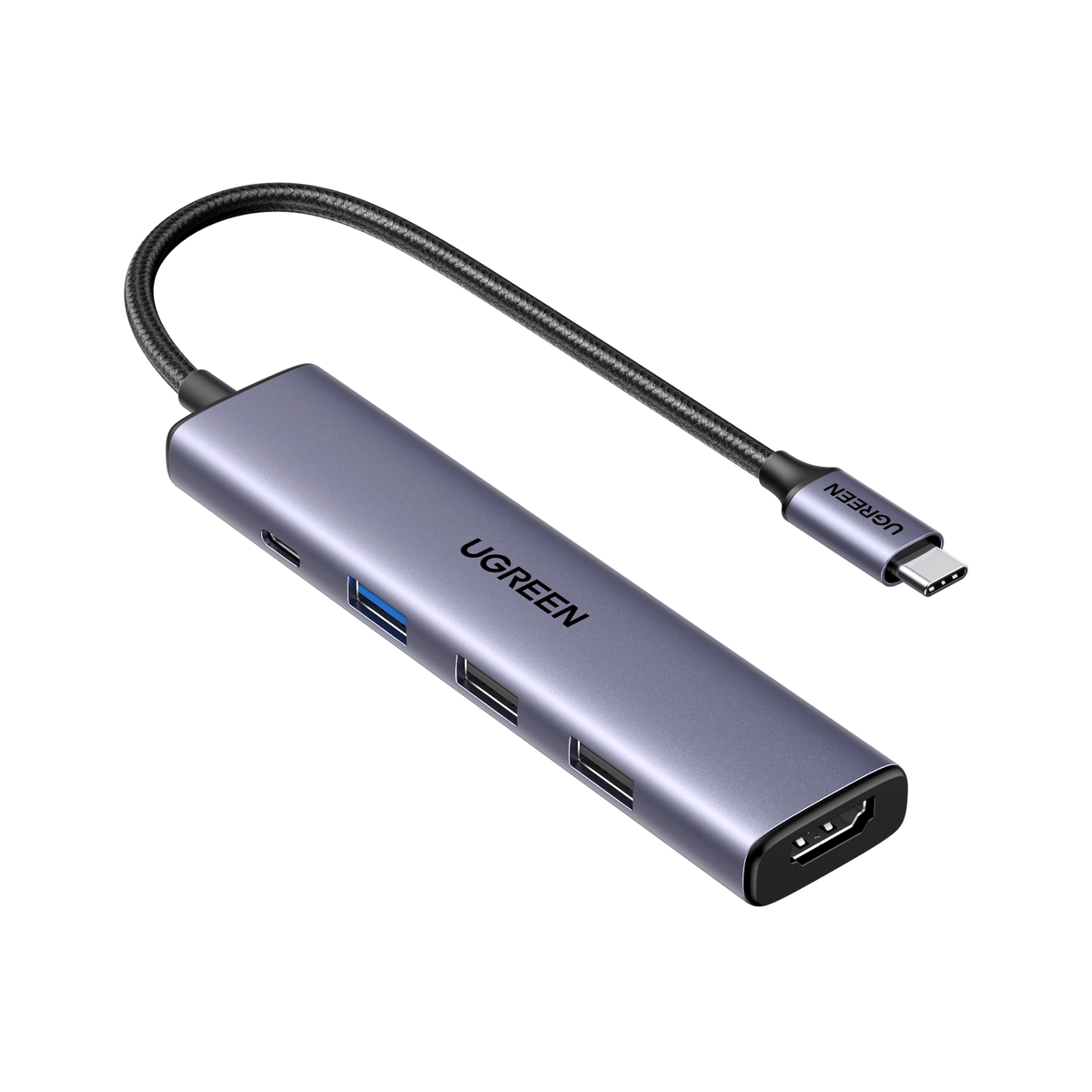
UGREEN Revodok 105 5-in-1

Revodok 105 5-in-1

The simplest, most portable option if you only need one external display and a couple of extra ports.

UGREEN specifies a 5-port hub with HDMI, 100W pass-through power and one 5Gbps USB-A port, the smallest and cheapest of the Revodok line here.

Best for

Ultra-portable single-monitor use, e.g. a laptop bag hub for occasional desk work.

Watch out

HDMI output is capped at 4K/30Hz, not the smoother 60Hz, fine for a secondary display, less ideal as a primary one.

UGREEN Revodok 1071 7-in-1

Revodok 1071 7-in-1

Adds a card reader and an extra USB-A port over the 105, still at the same data-speed tier.

UGREEN specifies 7 ports including an SD/TF card reader, with HDMI and 100W pass-through matching the Revodok 105's specification tier.

Best for

Portable use where a memory-card reader is genuinely useful alongside basic connectivity.

Watch out

Despite the higher port count than the 105, its USB-A ports are still 5Gbps, not the faster 10Gbps of the Pro-tier docks below, do not assume "7-in-1" means a speed upgrade over "5-in-1".

Best for External SSDs
UGREEN Revodok Pro 207 7-in-1

Revodok Pro 207 7-in-1

A genuine speed upgrade over the non-Pro Revodok docks, with dual 4K/60Hz output and no driver needed.

UGREEN specifies dual HDMI at 4K/60Hz plus 10Gbps USB-C and USB-A ports, double the data speed of the Revodok 1071 despite sharing the same "7-in-1" port count.

Best for

Fast external-SSD work alongside a 4K/60 display or two lower-resolution displays, without needing driver software.

Watch out

No Ethernet port, unlike the Pro 209 below, if you need wired networking from the same dock, that model is the one to check instead.

Best for Dual Monitors
UGREEN Revodok Pro 209 9-in-1 DisplayLink

Revodok Pro 209 9-in-1 DisplayLink

The only dock here that can drive two external monitors from a single USB-C port on laptops that cannot do that natively.

UGREEN specifies dual HDMI and DisplayPort outputs via a DisplayLink chip, plus 10Gbps USB-C/USB-A ports and Gigabit Ethernet, DisplayLink is what makes dual-display output possible on laptops without native multi-display support over USB-C.

Best for

Laptops that cannot natively drive two external monitors over USB-C, where dual-display output matters more than avoiding driver software.

Watch out

DisplayLink needs a driver installed and can add latency or compatibility quirks compared with native display output on the Pro 207, and its Ethernet port is Gigabit only, not 2.5GbE, despite the "Pro" branding.

Best for Mac Mini
UGREEN Mac mini M4/M4 Pro Dock 11-in-1

Mac mini M4/M4 Pro Dock 11-in-1

A dock built specifically to clip onto the Mac mini M4/M4 Pro chassis for a clean integrated setup.

UGREEN designs this as an 11-in-1 dock shaped specifically for the Mac mini M4/M4 Pro, rather than a general-purpose hub that happens to work with one.

Best for

Mac mini M4 or M4 Pro desktop users wanting an integrated, clutter-free port expansion.

Watch out

Only fits the Mac mini M4/M4 Pro chassis, not usable as a general hub with any other device.

Power Banks

Power Banks

Capacity (mAh) and output wattage are different questions. A high-mAh bank keeps a phone going for days; a high-wattage bank can actually top up a laptop. Magnetic/Qi2 wireless banks trade some speed and add convenience for iPhone users. Decide what you are actually trying to charge before comparing capacity numbers.

Best for Travel Laptops
UGREEN Nexode 165W 25000mAh Power Bank

Nexode 165W 25000mAh Power Bank

The highest-capacity, highest-output bank here, with two cables built in so you never need a spare.

UGREEN specifies a 90Wh, 25000mAh bank with two built-in USB-C cables (up to 140W and 65W) plus separate ports, able to charge up to 4 devices at once.

Best for

Business travellers who need to keep a laptop, phone and another device charged on the road without packing extra cables.

Watch out

90Wh sits right at the maximum most airlines allow in carry-on luggage, and the two built-in cables add real bulk and weight versus a cable-less bank.

Best for MagSafe iPhones
UGREEN MagFlow Qi2 25W 10000mAh Power Bank

MagFlow Qi2 25W 10000mAh Power Bank

The only true Qi2 magnetic wireless bank in this lineup, with a built-in strap-cable as backup.

UGREEN specifies genuine Qi2/Qi2.2 magnetic charging at up to 25W, plus a built-in 30W USB-C cable that doubles as a carry strap.

Best for

iPhone users who want a magnetic, cable-free carry option with a wired cable as backup.

Watch out

10,000mAh is modest capacity, roughly one full phone charge plus a partial top-up, not a multi-day bank.

UGREEN Nexode 100W 20000mAh Power Bank

Nexode 100W 20000mAh Power Bank

A mid-capacity, higher-wattage bank for general phone and tablet top-ups.

UGREEN specifies 100W max output at 20,000mAh capacity, positioning it between the compact 5000mAh bank and the larger 25000mAh travel bank.

Best for

General-purpose phone and tablet charging where 10,000mAh would run out too quickly.

Watch out

A separate UGREEN 45W/20,000mAh power bank also exists with the same capacity but a different wattage ceiling, check the wattage spec, not just the mAh figure, before assuming two 20,000mAh banks are interchangeable.

Best for Pocket Carry
UGREEN Nexode 22.5W 5000mAh Power Bank

Nexode 22.5W 5000mAh Power Bank

A genuinely pocketable bank for anyone the 10,000mAh-plus options above are too bulky for.

UGREEN specifies 5000mAh at 22.5W, the only compact/travel-tier bank in this lineup, filling a real gap below the 10,000mAh-plus options above rather than duplicating them.

Best for

Slipping in a pocket or small bag for one emergency top-up, not all-day backup power.

Watch out

Capacity is genuinely small, expect roughly half a phone charge, not a full one.

Networking

Networking

A 2.5GbE adapter only helps if the router, switch or NAS on the other end of the cable also supports 2.5GbE, it will not speed up a plain Gigabit network. Watch product names carefully: a "10Gbps hub" description usually refers to USB data throughput on the hub's own ports, not the Ethernet port's network speed, which is often still Gigabit.

Best for 2.5GbE
UGREEN USB-C to 2.5G Ethernet Adapter

USB-C to 2.5G Ethernet Adapter

The only genuine faster-than-Gigabit networking option in this lineup.

UGREEN specifies a real 2.5Gbps Ethernet adapter using an RTL8156BG chipset, backward-compatible down to 10Mbps.

Best for

Laptop users with a 2.5GbE-capable router, switch or NAS who want a wired upgrade path over Wi-Fi or Gigabit.

Watch out

2.5GbE only helps if the router, switch or NAS on the other end also supports 2.5GbE, on an ordinary Gigabit network, it will not speed anything up.

UGREEN 10Gbps USB Hub with Ethernet Adapter (5-in-1)

10Gbps USB Hub with Ethernet Adapter (5-in-1)

A combined USB hub and Ethernet adapter for anyone who wants both extra ports and a wired connection from one dongle.

This model combines USB-C and USB-A hub ports rated at 10Gbps data speed with a built-in Ethernet port in a single 5-in-1 adapter.

Best for

Laptops needing both extra USB ports and a wired Ethernet connection from a single dongle.

Watch out

The "10Gbps" in the name describes the USB data ports, not the network connection, the Ethernet port itself is Gigabit only, not 10GbE. Do not buy this expecting 10Gbps networking.

Storage & Enclosures

Storage & Enclosures

A faster NVMe enclosure only performs faster if your laptop or PC has a matching USB4/Thunderbolt port. On an ordinary USB-C 10Gbps port, a 40Gbps enclosure runs no faster than a cheaper 10Gbps one, check your own port speed before paying for headroom you cannot use.

Best for Thunderbolt/USB4
UGREEN 40Gbps M.2 NVMe Enclosure

40Gbps M.2 NVMe Enclosure

A genuinely faster enclosure than the 10Gbps model, but only on the right port.

UGREEN specifies up to 40Gbps (USB4/Thunderbolt-class) with passive fin cooling and no fan, supporting common M.2 NVMe drive sizes, a real speed-tier difference from the 10Gbps model, not just marketing.

Best for

Video editors or power users with a USB4 or Thunderbolt port who want to actually see NVMe-class external speeds.

Watch out

Needs a USB4/Thunderbolt host port to hit its rated speed, on an ordinary USB-C 10Gbps laptop port, it runs no faster than the cheaper 10Gbps enclosure below.

UGREEN USB 3.0 Dual-Slot SD/microSD Card Reader

USB 3.0 Dual-Slot SD/microSD Card Reader

A straightforward dual-slot card reader for offloading photos and video.

This model reads SD and microSD cards simultaneously over USB 3.0, aimed at everyday memory-card offloading rather than a specialised workflow.

Best for

Photographers and videographers offloading SD and microSD cards to a laptop or desktop.

Watch out

UGREEN does not sell card readers on its own AU storefront, this model is only available through Amazon AU, not UGREEN direct.

Methodology

How we choose UGREEN products

Selection considers functionality, genuine differentiation from other UGREEN models, compatibility, Australian availability and specification-to-value balance. We do not include a product just to fill out a category, and commission does not determine which products are featured or how they are ranked. Every product here has a working Australian purchase path, checked at the date shown on each card. See our editorial policy and independence & disclosure pages for more.

FAQ

Common questions

Only if you are charging a laptop that supports high-wattage USB-C charging, or multiple devices from the same brick at once. A phone typically only needs 20-30W; 65W-100W chargers earn their keep when a laptop is one of the devices plugged in.

Only if the hub includes a DisplayLink chip (like the Revodok Pro 209 above) or your specific Mac model natively supports multiple displays over one USB-C port. Check your Mac's own display-output specification first.

Only for local network transfers, and only if the router, switch or NAS on the other end also supports 2.5GbE. It will not increase your internet plan's speed from your ISP.

Only if the bank's maximum wattage output is high enough for your laptop's charging requirements, and your laptop charges over USB-C PD. Check both the bank's output wattage and your laptop's charging spec before assuming it will work.

No. Most multi-port GaN chargers, including the ones on this page, share power across ports, only one port typically hits the full rated wattage, with others receiving less when multiple devices are connected at once.

The terms overlap in marketing, but a "dock" on this page generally refers to a more capable unit built around driving external displays, while a "hub" leans toward extra data/USB ports with display output as a secondary feature. Check the specific ports and display capability rather than the label alone.

Need to Know IT does not sell these products or control their price or stock. Some links on this page are affiliate links. We may earn a commission if you buy through them, at no extra cost to you. Recommendations are not determined by commission. Full affiliate disclosure.