For most Australian home users and small businesses, Synology is the safer choice. Its software ecosystem is more mature, its setup is simpler, and its first-party apps cover more use cases out of the box. Asustor is the better choice for budget-conscious buyers who primarily need backup and file sharing, or for media enthusiasts who want hardware-accelerated Plex transcoding without paying the Synology premium. Both brands sell through Australian distributors, both carry standard 3-year warranties processed through the same retailer-to-Taiwan chain, and neither has a phone number or office in Australia. The real difference is what you get for your dollar. And whether the software matters enough to justify the price gap.
For a broader overview of this topic, see our complete Synology ecosystem guide.
In short: If you want the most polished NAS experience with the best first-party apps. Buy Synology. If you want more hardware for less money, with decent software that covers the basics well. Buy Asustor. For a typical Australian household, a Synology DS225+ ($549-$599) is the safe pick. If you just need backup and media serving, an Asustor Drivestor 4 Pro AS3304T V2 ($579-$599) gives you four bays for the price of Synology's two.
Side-by-Side Comparison
Here is how the two brands compare across the categories that matter most to Australian buyers. For deeper brand coverage, see our Synology NAS Australia and Asustor NAS Australia guides, or the broader Best NAS Australia buying guide.
Synology vs Asustor. Head-to-Head for Australian Buyers
| Synology | Asustor | |
|---|---|---|
| Software | DSM. Polished, intuitive, best-in-class first-party apps | ADM. Competent and improving, thinner app ecosystem |
| Hardware Value | Lower specs per dollar. You pay for the software | Stronger specs per dollar. More RAM, faster CPUs at same price |
| Plex / Media | Works but no official Plex app on value models; hardware transcoding limited | Excellent Plex support with hardware transcoding across the range |
| Docker Support | Supported on Plus series and above via Container Manager | Supported on Celeron/Ryzen models via Portainer |
| 2.5GbE Networking | Available on Plus series (DS225+, DS425+, DS925+) | Standard on Drivestor Pro, Nimbustor, and Lockerstor lines |
| Drive Compatibility | Third-party HDDs restored in DSM 7.3; M.2 NVMe still restricted | No drive restrictions. Use any compatible HDD or SSD |
| Mobile Apps | Excellent. Synology Photos, Drive, DS File are best in class | Functional but less polished. AiData, AiMaster, LooksGood |
| AU Distribution | BlueChip + MMT. Deep stock, strong availability | Dicker Data (exclusive). Growing but thinner stock |
| AU Retailer Availability | Widely stocked at Mwave, Scorptec, PLE, and others | Available at Mwave, Scorptec, PLE. Fewer models on shelf |
| Best For | Users who want it to just work, SMB backup, Synology Drive/Photos users | Budget buyers, Plex enthusiasts, gamers, buyers who prioritise hardware specs |
Software: DSM vs ADM
This is where the two brands diverge most sharply, and it is the primary reason Synology commands higher prices for comparable hardware.
Synology's DiskStation Manager (DSM) is widely regarded as the most polished NAS operating system available. It is aggressively designed for ease of use. Clean interface, gentle learning curve, and first-party applications like Synology Photos, Synology Drive, Active Backup for Business, and Surveillance Station that rival standalone cloud services. If you have used Google Photos or Dropbox, Synology's equivalents will feel familiar. For a deeper look at how to get started, see our Synology NAS Setup Guide.
Asustor's ADM (Asustor Data Master) is competent and has improved significantly in recent years, but it does not match DSM's depth or polish. The core functions. File management, backup, user accounts, RAID configuration. Work well. Where ADM falls behind is in first-party applications. Asustor does not have an equivalent to Synology Photos, Synology Drive, or Active Backup for Business. If you want those capabilities, you will need to use third-party alternatives through Docker, which adds complexity.
The bottom line: if DSM's first-party apps solve problems you actually have, Synology's software premium is justified. If you plan to use Docker containers for everything anyway. Or if your needs are limited to basic file sharing and backup. You are paying for software you will not use.
Hardware: What You Get for Your Dollar
Asustor consistently delivers more hardware per dollar than Synology at every price point. This is not a marginal difference. It is significant enough to change which models you should consider depending on your priorities.
Entry Level: 2-Bay NAS Under $500
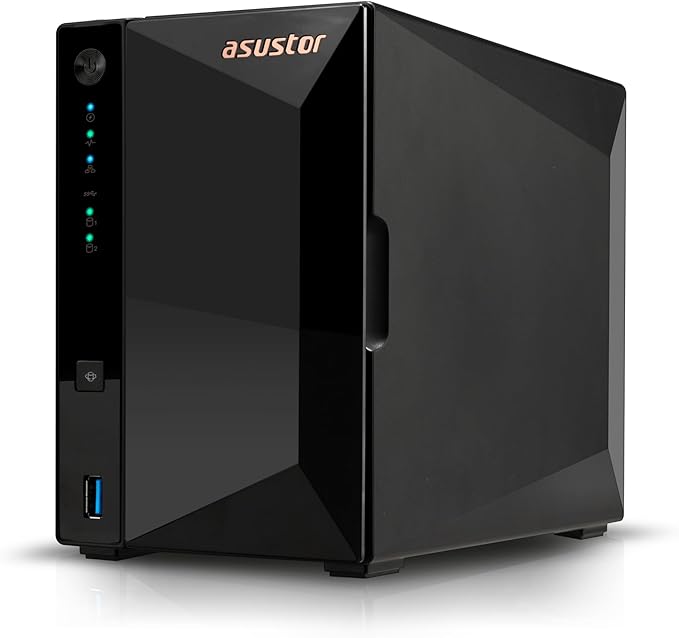
At the entry level, a Synology DS223 at $479-$489 gives you a Realtek quad-core CPU with 2GB RAM and 1GbE networking. An Asustor Drivestor 2 Pro AS3302T V2 at $389-$439 gives you a Realtek RTD1619B quad-core with 2GB RAM and 2.5GbE networking. The Asustor is cheaper and comes with faster networking out of the box. For buyers whose needs are covered by our Best NAS Under $500 guide, Asustor offers genuinely strong value at this level.
Entry 2-Bay: Synology DS223 vs Asustor Drivestor 2 Pro V2
 Synology DS223
|
 Asustor AS3302T V2
|
|
|---|---|---|
| CPU | Realtek RTD1619B Quad-Core | Realtek RTD1619B Quad-Core |
| RAM | 2GB DDR4 | 2GB DDR4 |
| Networking | 1x 1GbE | 1x 2.5GbE |
| Price (Mwave) | $479 (PLE Computers) | $439 |
| Price (PLE) | $479 | $439 (Mwave) |
Prices last verified: 1 March 2026. Always check retailer before purchasing.
Mid-Range: 4-Bay NAS $800-$1,100
The mid-range is where the comparison gets interesting. A Synology DS425+ at $819-$999 gives you a Celeron CPU, 2GB RAM, and 2.5GbE + 1GbE networking. An Asustor Lockerstor 4 AS6804T at $775-$1,013 gives you a Celeron N5105, 4GB RAM, and dual 2.5GbE networking. The Asustor has double the RAM and an extra 2.5GbE port at a comparable or lower price. For buyers considering a 4-bay setup for home or prosumer use, this price tier is well covered in our Best NAS for Home guide.
The DS925+ at $995-$1,029 is Synology's strongest 4-bay contender with 4GB RAM and dual M.2 slots, but it still costs more than the AS6804T while matching its RAM. If you want Synology's software, the DS925+ is excellent. If you want raw value, Asustor wins here. For a detailed look at the DS925+, see our Best Synology NAS guide.
Mid-Range 4-Bay: Synology DS425+ vs Asustor Lockerstor 4 AS6804T
 Synology DS425+
|
 Asustor AS6804T
|
|
|---|---|---|
| CPU | Intel Celeron (4-core) | Intel Celeron N5105 (4-core) |
| RAM | 2GB DDR4 | 4GB DDR4 |
| Networking | 1x 2.5GbE + 1x 1GbE | 2x 2.5GbE |
| M.2 Slots | 2x M.2 NVMe (restricted to Synology HCL) | 2x M.2 NVMe (no restrictions) |
| Price (Scorptec) | $819 | $2,175 (Mwave) |
| Price (Mwave) | $819 (Scorptec) | $2,175 (Mwave) |
Performance Tier: Ryzen-Powered NAS
At the high end, Asustor's Gen3 Lockerstor line with AMD Ryzen V3C14 processors and 16GB ECC RAM targets power users and small businesses. The Asustor Lockerstor 4 AS6804T at $1,799-$2,175 delivers a Ryzen V3C14 quad-core, 16GB ECC RAM, and dual 5GbE networking. There is no direct Synology desktop equivalent at this spec level. The closest is the DS725+ at $869 with a Ryzen R1600 and 4GB RAM, which is a different class of device. For serious workloads like Docker and virtualisation, Asustor's Gen3 Lockerstor line offers hardware that Synology simply does not match in desktop form.
The Drive Compatibility Factor
This is a point where Asustor holds a clear, unqualified advantage. Asustor has never restricted which hard drives or SSDs you can use. Any compatible 3.5-inch HDD or M.2 NVMe SSD works without limitation.
Synology's drive compatibility history is more complicated. In April 2025, Synology restricted all new Plus series models to Synology-branded drives or specifically certified third-party drives. The backlash was severe. Long-time loyal users began exploring alternatives, and the enthusiast community felt betrayed. Synology reversed the restrictions for 3.5-inch HDDs and 2.5-inch SATA SSDs with DSM 7.3 in October 2025, but M.2 NVMe SSDs still require drives from Synology's official Hardware Compatibility List for new cache or storage pool creation on Plus series models. Enterprise and rackmount models retain stricter restrictions.
If you plan to add NVMe cache drives to improve performance, check Synology's compatibility list before buying. With Asustor, just buy any reputable NVMe drive and install it. For hard drive recommendations regardless of brand, see our Best NAS Hard Drive Australia guide.
Drive lock-in risk: Synology reversed its third-party HDD restrictions in October 2025, but the fact they attempted it at all signals a willingness to make controversial software decisions that affect hardware flexibility. M.2 NVMe restrictions remain. Asustor has no drive restrictions of any kind.
Media and Plex Performance
For Plex media serving, Asustor is the stronger choice at most price points. Asustor has long marketed itself to media enthusiasts and gamers, and it shows. Their Celeron N5105-based models (Nimbustor, Lockerstor Gen2) deliver reliable hardware-accelerated transcoding for Plex, and the HDMI output on some models allows direct media playback without a separate streaming device.
Synology's Plus series models also support Plex with hardware transcoding via the Intel Quick Sync capable CPUs, but the value-tier models (DS223, DS423) use Realtek ARM processors that cannot transcode effectively. If Plex is a core requirement and you are on a budget, Asustor's Nimbustor AS5402T or AS5404T at$762-$879 delivers hardware transcoding at prices where Synology can only offer ARM-based models without that capability.
One caveat: if remote Plex streaming is important, be aware that typical NBN 100 plans deliver only around 20-40Mbps upload (with 50Mbps being the theoretical max). This limits remote streaming quality regardless of which NAS you choose. Additionally, some NBN connections use CGNAT, which can block remote access entirely without a workaround. Check with your ISP before relying on remote Plex access.
Backup and Data Protection
Synology's backup ecosystem is a genuine competitive advantage. Active Backup for Business provides free, centralised backup for Windows PCs, Macs, file servers, and virtual machines. Functionality that would cost hundreds of dollars per year with third-party software. Hyper Backup handles NAS-to-NAS and NAS-to-cloud backup with versioning and deduplication. Synology Drive provides Dropbox-like file sync across devices. These are polished, well-maintained applications that work reliably.
Asustor's backup capabilities are functional but thinner. DataSync Center handles basic cloud sync, and Asustor Backup Plan covers local backup tasks. However, there is no equivalent to Active Backup for Business. If you need to back up multiple PCs or servers to your NAS, you will need third-party software or Docker containers. For buyers who prioritise backup and ransomware protection, Synology's built-in tools are materially better.
Networking and Connectivity
Asustor includes 2.5GbE networking as standard across most of its current range, including the budget Drivestor Pro line starting at $389. Synology only offers 2.5GbE on Plus series models ($549+), with value-tier models still limited to 1GbE.
At the top end, Asustor's Gen3 Lockerstor models include dual 5GbE ports. Faster than 2.5GbE and useful for link aggregation or separating management and data traffic. Synology does not offer 5GbE on any desktop model; their fastest built-in option is 2.5GbE, with 10GbE available only via add-in cards on select Plus and XS models. For networking fundamentals and how to make the most of faster NAS connections, see our Best NAS for Home guide.
AU Pricing Comparison: Key Models
Australian NAS pricing is fairly uniform across retailers. Most operate on 3-5% margins, leaving little room for significant discounting. The meaningful differences between retailers are stock depth, pre-sales knowledge, and post-sales support, not price. That said, it is worth comparing across Mwave, Scorptec, and PLE for the best available deal.
Budget Tier (Under $500)

| Synology DS223 (2-bay) | $479-$489 (PLE / Mwave) |
|---|---|
| Synology DS124 (1-bay) | $269-$289 (Scorptec / PLE) |
| Asustor Drivestor 2 Gen2 AS1202T (2-bay) | $356-$359 (Mwave / Scorptec) |
| Asustor Drivestor 2 Pro AS3302T V2 (2-bay, 2.5GbE) | $389-$439 (PLE / Mwave) |
| Asustor Drivestor 4 Pro AS3304T V2 (4-bay, 2.5GbE) | $579-$599 (PLE / Scorptec) |
| Asustor Drivestor 2 Lite AS1102TL (2-bay) | $299 (PLE / Scorptec) |
At the budget level, Asustor's value is compelling. The Drivestor 4 Pro AS3304T V2 gives you four bays and 2.5GbE networking for the same price as a Synology DS223 with only two bays and 1GbE. If your needs are straightforward backup and file serving, that is a lot more storage capacity for the same money. See our Best NAS Under $500 guide for detailed recommendations at this price point.
Mid-Range Tier ($500-$1,100)


| Synology DS225+ (2-bay, 2.5GbE) | $549-$599 (Scorptec / PLE) |
|---|---|
| Synology DS425+ (4-bay, 2.5GbE) | $819-$999 (Scorptec / PLE) |
| Synology DS925+ (4-bay, 2.5GbE) | $995-$1,029 (Scorptec / Mwave) |
| Asustor Nimbustor AS5402T (2-bay) | $639-$789 (Scorptec / Mwave) |
| Asustor Nimbustor AS5404T (4-bay) | $799-$879 (PLE / Mwave) |
| Asustor Lockerstor 2 AS6702T (2-bay) | $649-$781 (PLE / Mwave) |
| Asustor Lockerstor 4 AS6804T (4-bay) | $775-$1,013 (Scorptec / Mwave) |
Performance Tier ($1,200+)

| Synology DS1525+ (5-bay) | $1,285-$1,399 (Mwave / Scorptec) |
|---|---|
| Synology DS725+ (2-bay, Ryzen) | $869 (Mwave / Scorptec) |
| Asustor Lockerstor 4 AS6804T (4-bay, Ryzen, 16GB) | $1,799-$2,175 (Scorptec / Mwave) |
| Asustor Lockerstor 6 AS6706T (6-bay, Celeron, 8GB) | $1,349-$1,400 (PLE / Mwave) |
| Asustor Lockerstor 6 AS6806T (6-bay, Ryzen, 16GB) | $2,599-$2,644 (Scorptec / Mwave) |
All-Flash NAS: Asustor's Unique Offering
Asustor offers something Synology does not have in its desktop lineup: dedicated all-flash NAS devices. The Flashstor line uses M.2 NVMe slots instead of traditional 3.5-inch drive bays, delivering significantly faster read/write speeds in a compact form factor.

| Asustor Flashstor 6 FS6706T (6x M.2, Celeron, 4GB) | $575-$757 (Scorptec / Mwave) |
|---|---|
| Asustor Flashstor 12 Pro FS6712X (12x M.2, Celeron, 4GB, 10GbE) | $999-$1,344 (Scorptec / Mwave) |
| Asustor Flashstor 6 Gen2 FS6806X (6x M.2, Ryzen, 8GB, 10GbE) | $1,699-$1,720 (PLE / Mwave) |
| Asustor Flashstor 12 Gen2 FS6812X (12x M.2, Ryzen, 16GB, 10GbE) | $2,399-$2,408 (PLE / Mwave) |
These are niche products aimed at content creators, video editors, and anyone who needs sustained high-speed storage access. Synology does not compete in this space with a desktop product. Their all-flash options are rackmount enterprise models starting at $17,000+. If you need an all-flash NAS for a home studio or small creative business, Asustor is your only realistic option.
Australian Distribution and Availability
Synology has a significant distribution advantage in Australia. It is carried by both BlueChip and Multimedia Technology (MMT), two distributors with dedicated senior product managers and deep stock across the range. Both hold strong inventory. Consumer models are almost always readily available, and restocking from Taiwan typically takes 2-3 weeks by air freight. Synology's smaller product catalogue actually helps here: with fewer models to stock, Australian retailers can carry most of the range at all times.
Asustor is distributed exclusively by Dicker Data, a newer signing. Dicker holds modest stock that is expected to grow as Asustor expands in Australia, but availability is currently thinner than Synology's. Popular consumer models like the Drivestor Pro and Nimbustor lines are generally available at Scorptec, Mwave, and PLE, but less common models (particularly rackmount and Gen3 Lockerstor units) may need to be ordered in. Stock depths can vary. Check multiple retailers before assuming a model is unavailable.
If you are buying a NAS for the first time, buy from a specialist retailer like Scorptec or PLE where you can get genuine pre-sales guidance. Amazon AU has started holding NAS stock directly in 2026, often at lower prices, but their support model means you are on your own if a unit fails with your data inside it.
Warranty and Support in Australia
Both Synology and Asustor follow the same warranty process in Australia: your claim goes to the retailer (place of purchase), not the manufacturer. Neither brand has a service centre, phone number, or office in Australia. The warranty chain runs from retailer to distributor to vendor in Taiwan, then back again. Expect 2-3 weeks minimum for a resolution, and in most cases the resolution is a replacement rather than a repair.
Standard warranty is 3 years for consumer models from both brands, which aligns with NAS-class HDD warranty periods. Synology offers extended warranty options (3 to 5 years) on Plus series and above. Advanced replacements are generally not officially available from either vendor. Some resellers will let you purchase a replacement at full price and refund when the faulty unit is returned, but ask about this before you need it.
Australian Consumer Law: ACL protections apply when purchasing from Australian retailers. Your warranty claim is against the retailer, not the manufacturer. A dead NAS is a minor failure under ACL. The retailer chooses the remedy (repair, replacement, or refund). ACL protects the hardware purchase, not your data. Always maintain offsite backups. For official information on your rights, visit accc.gov.au.
Security Considerations
Both brands have had security incidents, but their track records differ. Synology has a more established security response process and a larger team dedicated to patching vulnerabilities. DSM receives regular security updates and Synology publishes security advisories promptly. Synology also offers built-in features like immutable snapshots and Security Advisor that help protect against ransomware attacks.
Asustor suffered a significant Deadbolt ransomware attack in February 2022 that affected exposed NAS devices. While Asustor responded and improved their security posture since then, the incident damaged trust. ADM now includes ADM Defender and improved default security settings, but Synology's longer track record and more proactive approach to security give it an edge for buyers who prioritise this area.
Who Should Buy Synology
Synology is the right choice when:
- You want the most polished, easiest-to-use NAS experience available
- You will use Synology Photos, Synology Drive, or Active Backup for Business. These first-party apps are genuinely best-in-class
- You are setting up backup for a small business and want centralised PC/server backup without third-party software
- You want a large ecosystem of well-maintained first-party applications
- You value simplicity over raw hardware specs
- You are a first-time NAS buyer and want the gentlest learning curve
Pros
- Best-in-class software with DSM. Intuitive and polished
- Excellent first-party apps (Photos, Drive, Active Backup)
- Strong AU distribution with deep stock availability
- Stable pricing and strong reseller support
- Larger community and more online resources for troubleshooting
Cons
- Lower hardware specs per dollar compared to Asustor
- M.2 NVMe drive restrictions remain on Plus series
- No all-flash desktop NAS option
- Value-tier models limited to 1GbE networking
- Drive compatibility controversy damaged trust with enthusiasts
Who Should Buy Asustor
Asustor is the right choice when:
- Your primary needs are backup, file sharing, and media serving. Not Synology's first-party app ecosystem
- You want the best hardware for your budget, especially at the entry and mid-range
- Plex transcoding is a priority and you want hardware-accelerated performance at a lower price
- You want an all-flash NAS for creative or video editing workloads
- You object to drive compatibility restrictions on principle
- You are comfortable with Docker for services that Synology provides natively
Pros
- More hardware per dollar at every price point
- No drive restrictions. Use any HDD or SSD
- 2.5GbE standard across most of the range
- Excellent Plex support with hardware transcoding
- Unique all-flash Flashstor NAS line for creative professionals
- HDMI output on select models for direct media playback
Cons
- ADM software is less polished than DSM
- Thinner first-party app ecosystem. No Photos/Drive equivalent
- Smaller AU stock levels via Dicker Data distribution
- 2022 Deadbolt ransomware incident damaged security reputation
- Smaller online community means fewer troubleshooting resources
The Verdict: Software vs Hardware Value
The Synology vs Asustor decision in Australia comes down to one question: are you paying for the software, or are you paying for the hardware?
If you will genuinely use Synology Photos as a Google Photos replacement, if you need Active Backup for Business to protect your office PCs, if you want Synology Drive to replace Dropbox. Then the Synology premium is money well spent. DSM's first-party applications are the best in the NAS industry, and no competitor matches their depth and polish.
If your needs are more straightforward. Centralised backup, file access across your network, Plex media serving, maybe some Docker containers. Then paying the Synology premium buys you software you will not use. An Asustor Drivestor 4 Pro at $579 gives you four bays and 2.5GbE for the price of a Synology 2-bay. That is twice the raw storage capacity for the same money.
Do not pay for software you will not use. And do not cheap out on hardware when the software is what you actually need. Both are valid choices. The wrong decision is the one that does not match how you will actually use the NAS. For more brand comparisons, see our Synology vs QNAP guide.
Buying tip: Regardless of which brand you choose, buy from an Australian retailer for full ACL coverage. Before purchasing, ask the retailer: "If this fails, what is your warranty process? Is an advanced replacement available?" The answer tells you more about the value of buying from that retailer than the price on the website.
Our RAID Calculator shows usable capacity for both brands' drive configurations, and our NAS Sizing Wizard helps narrow down which model fits your storage needs and budget.
Is Asustor as reliable as Synology?
Both brands use similar quality components and carry standard 3-year warranties. Synology has a longer track record and a larger installed base, which gives more confidence in long-term reliability data. Asustor's 2022 Deadbolt ransomware incident raised security concerns, but the company has since improved its security posture. For hardware reliability, both are comparable. The difference is software maturity and ecosystem depth, where Synology leads.
Can I run Plex on both Synology and Asustor?
Yes, but with important differences. Both support Plex Media Server, and models with Intel Celeron or Ryzen CPUs offer hardware-accelerated transcoding on both brands. However, Asustor provides hardware transcoding across more of its range at lower price points. A Synology DS223 ($479-$489) uses an ARM processor that cannot transcode well, while an Asustor Nimbustor AS5402T ($639-$789) at a similar price delivers reliable hardware transcoding. If remote Plex streaming is important, remember that typical NBN upload speeds cap around 20-40Mbps, which limits remote streaming quality regardless of NAS brand.
Is Asustor worth it in Australia or should I just buy Synology?
Asustor is worth it if your needs are primarily backup, file sharing, and media serving. You get more hardware for less money. A 4-bay Asustor with 2.5GbE costs what a 2-bay Synology does. However, if you want first-party apps like Synology Photos, Synology Drive, or Active Backup for Business, those capabilities do not exist in the Asustor ecosystem and would need to be replicated through Docker containers. Buy Synology for the software, buy Asustor for the hardware value.
Do Synology and Asustor both support Docker?
Yes, but with caveats. Synology supports Docker (branded as Container Manager) on Plus series models and above. Not on value-tier models like the DS223 or DS423. Asustor supports Docker via Portainer on models with Intel Celeron or AMD Ryzen CPUs (Nimbustor, Lockerstor, and Flashstor lines). ARM-based entry models from both brands do not support Docker. If Docker is a requirement, ensure you are buying a model that supports it. For more details, see our Docker and Virtualisation on NAS guide.
Where can I buy Asustor NAS in Australia?
Asustor is available from Australian retailers including Scorptec, Mwave, and PLE Computers. Distribution is handled exclusively by Dicker Data. Stock levels are thinner than Synology's, so popular models may occasionally be unavailable. Check multiple retailers. Amazon AU also carries some Asustor models, but buying from a specialist retailer gives you better after-sales support and genuine pre-sales guidance.
Can I use any hard drive in an Asustor NAS?
Yes. Asustor has never restricted which hard drives or SSDs you can install. Any compatible 3.5-inch SATA HDD, 2.5-inch SATA SSD, or M.2 NVMe SSD will work without limitation. This is one of Asustor's clearest advantages over Synology, which still restricts M.2 NVMe SSDs to models on their official Hardware Compatibility List for Plus series and above. For drive recommendations, see our Best NAS Hard Drive Australia guide.
What happens if my NAS fails under warranty in Australia?
The warranty process is identical for both brands. Your claim goes to the retailer you purchased from. Neither Synology nor Asustor has a service centre in Australia. The retailer escalates to their distributor (BlueChip/MMT for Synology, Dicker Data for Asustor), who escalates to the vendor in Taiwan. Expect 2-3 weeks minimum for resolution, usually a replacement rather than repair. Australian Consumer Law protections apply when buying from Australian retailers. Always maintain offsite backups. Your NAS is not a backup, and ACL does not protect your data.
Explore the full range of NAS options for Australian buyers with real pricing and independent advice.
Read the Best NAS Australia Guide →