Sub-$500 is the most competitive NAS price bracket in Australia, and there are genuine standouts. But also a few models that look like bargains until you understand their limitations. The sweet spot for most home users sits between $350 and $500, where you get a 2-bay NAS with enough processing power for file sharing, photo backup, and basic media streaming. Go too cheap and you end up with a glorified external hard drive. Spend wisely and you get a proper networked storage platform that will serve you for years.
For a broader overview of this topic, see our NAS buying guide hub.
In short: The Synology DS223 ($489 at Mwave) is the best all-round NAS under $500 in Australia for most home users. Reliable software, simple setup, and strong app ecosystem. If you want 2.5GbE networking and don't mind QNAP's steeper learning curve, the QNAP TS-233 ($499 at PLE) is the performance pick. For the tightest budgets, the Asustor Drivestor 2 Gen2 AS1202T ($356 at Mwave) gets the job done at a genuinely low price.
What $500 Actually Gets You in a NAS in 2026
A NAS under $500 in Australia is a diskless enclosure. You supply your own hard drives. That is standard across the industry at this price point (the only exception being Synology's BeeStation, which ships with drives pre-installed). Budget between $150 and~$489 per drive on top of the NAS price for NAS-grade HDDs like the Seagate IronWolf or WD Red Plus.
At this budget, you are looking at 1-bay or 2-bay models from the major brands, with a handful of 4-bay options from Asustor right at the $500 ceiling. Every model here runs ARM or entry-level Intel/AMD processors with 1-2GB of RAM. That is enough for file storage, photo management, basic media streaming, and cloud sync. But not enough for heavy Docker workloads, virtual machines, or hardware-accelerated Plex transcoding.
If you need more processing power for Plex or containerised apps, you will need to step up to the Plus-series models from Synology or QNAP, which start around $585-$600. Our best NAS for Plex guide covers those options in detail.
Quick Comparison: Every NAS Under $500 in Australia
NAS Models Under $500 AUD. February 2026
 Synology DS223
|
 Synology DS124
|
 Synology DS223J
|
 QNAP TS-233
|
QNAP TS-233
|
 QNAP TS-133
|
 Asustor AS1202T
|
 Asustor AS3302T V2
|
 Asustor AS1104T
|
 TerraMaster F2-425
|
|
|---|---|---|---|---|---|---|---|---|---|---|
| Bays | 2 | 1 | 2 | 2 | 2 | 1 | 2 | 2 | 4 | 2 |
| CPU | RTK1619B | RTK1619B | RTK1619B | ARM Cortex-A55 | ARM Cortex-A55 | ARM Cortex-A55 | RTK1619B | RTK1619B | RTK1296 | Celeron N5095 |
| RAM | 2GB | 1GB | 1GB | 4GB | 2GB | 2GB | 1GB | 2GB | 1GB | 4GB |
| Network | 1GbE | 1GbE | 1GbE | 2x 2.5GbE | 1GbE | 1GbE | 1GbE | 1GbE | 1GbE | 1GbE |
| AU Price | $489 | $279 | $339 | $499 | $399 | $259 | $356 | $439 | $475 | $459 |
| Best For | All-rounder | Single-drive backup | Budget 2-bay | 2.5GbE speed | QNAP entry | QNAP minimal | Budget Asustor | Asustor upgrade | 4-bay budget | x86 on a budget |
Best Overall: Synology DiskStation DS223
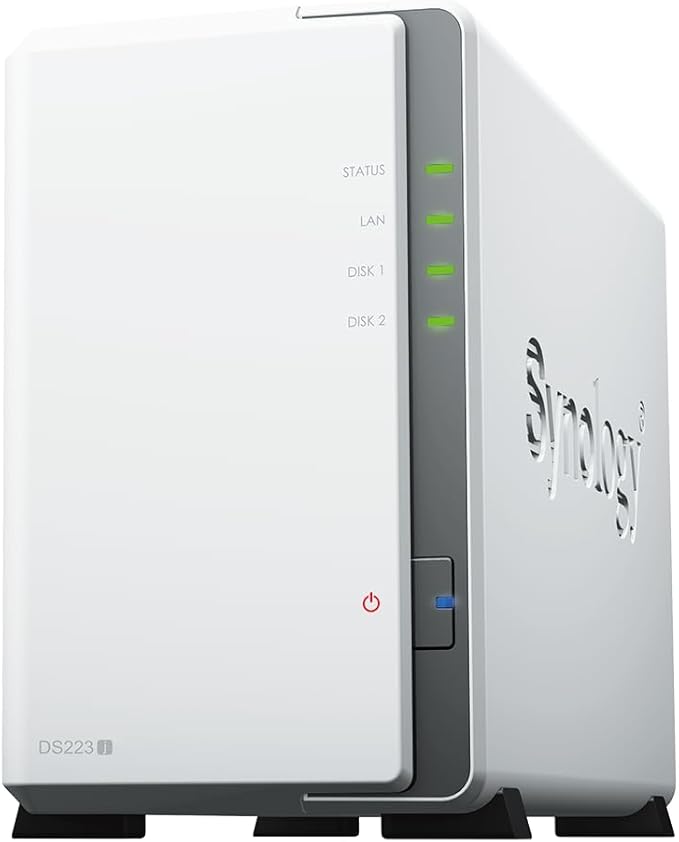
The Synology DS223 is the NAS to buy if you want the simplest, most reliable experience under $500. At $489 from Mwave (or $479 from PLE), it sits right at the top of this budget but delivers the best software experience of any NAS in this price range. Synology's DiskStation Manager (DSM) is genuinely easy to use. Setup takes about 15 minutes, and the mobile apps for file access, photo management (Synology Photos), and surveillance (Surveillance Station with two free camera licences) are polished and well-maintained.
The DS223 runs a Realtek RTD1619B quad-core processor with 2GB of DDR4 RAM. This is an ARM chip. Not Intel. So hardware transcoding for Plex is off the table. But for Synology Drive file sync, Synology Photos, Time Machine backups, and basic SMB file sharing, it handles everything a typical household needs. If you are considering Synology specifically, our Synology NAS Australia guide covers the full range.
The 2-bay design means you can run two drives in RAID 1 (mirrored) for redundancy, or Synology Hybrid RAID (SHR) which achieves the same thing with easier expansion later. With two 4TB IronWolf drives, you get roughly 4TB of usable, protected storage.
| Model | Synology DiskStation DS223 |
|---|---|
| CPU | Realtek RTD1619B, quad-core 1.7GHz |
| RAM | 2GB DDR4 (not expandable) |
| Drive Bays | 2x 3.5" SATA (compatible with 2.5") |
| Network | 1x Gigabit Ethernet |
| USB | 2x USB 3.2 Gen 1 |
| Warranty | 3 years |
| AU Price (Mwave) | $489 |
| AU Price (PLE) | $479 |
Pros
- Best software experience in this price range. DSM is genuinely intuitive
- Synology Photos is an excellent Google Photos replacement
- Strong mobile apps for remote access
- Established Australian distribution through BlueChip and MMT. Stock is reliable
- 2 free Surveillance Station camera licences included
Cons
- 1GbE only. No 2.5GbE upgrade path
- ARM processor means no Plex transcoding
- RAM is fixed at 2GB. Not upgradeable
- Right at the $500 ceiling when you factor in drives
Best for Speed: QNAP TS-233
The QNAP TS-233 is the standout if network speed matters to you. At $499 from PLE, it is the only NAS under $500 in Australia with dual 2.5GbE ports. Giving you 2.5x the throughput of every other model on this list. If you have a 2.5GbE switch or router (increasingly common in 2026), the TS-233 can deliver real-world file transfer speeds of 250-280 MB/s, compared to the ~115 MB/s ceiling on gigabit models.
It also comes with 4GB of RAM. Double what most competitors offer at this price. And an ARM Cortex-A55 quad-core CPU. The extra RAM makes the QTS interface noticeably more responsive when running multiple packages. QNAP's software is more feature-rich than Synology's but also more complex; first-time NAS users may find the learning curve steeper. For a deeper comparison between the two platforms, see our Synology vs QNAP guide.
One important consideration: QNAP has had more security vulnerabilities than Synology in recent years. QNAP has improved significantly with automated patching and their Security Counselor tool, but if your NAS will be exposed to the internet, take the time to follow QNAP's security hardening guide during setup. On Australian NBN connections, keep in mind that CGNAT (used by some ISPs) can block remote access entirely. Check with your ISP before relying on remote NAS access from outside your home.

| Model | QNAP TS-233 |
|---|---|
| CPU | ARM Cortex-A55, quad-core 2.0GHz |
| RAM | 4GB DDR4 |
| Drive Bays | 2x 3.5" SATA |
| Network | 2x 2.5GbE RJ45 |
| USB | 1x USB 3.2 Gen 2, 1x USB 2.0 |
| Warranty | 3 years |
| AU Price (PLE) | $499 |
Pros
- Dual 2.5GbE. The only sub-$500 NAS with multi-gig networking
- 4GB RAM provides headroom for multiple packages
- QNAP's app ecosystem is deep. Container support, multimedia, surveillance
- USB 3.2 Gen 2 port for fast external backup
Cons
- QTS has a steeper learning curve than Synology DSM
- ARM processor. No hardware transcoding for Plex
- QNAP's historical security issues require diligent setup hardening
- Only available from PLE at this price. Check stock before ordering
Best Budget Pick: Asustor Drivestor 2 Gen2 AS1202T
If $500 is your hard ceiling including drives, the Asustor Drivestor 2 Gen2 AS1202T at $356 from Mwave ($359 from Scorptec) leaves you enough budget for a single 4TB NAS drive to get started. It is a no-frills 2-bay NAS that handles the basics. File storage, Time Machine backup, basic media serving via DLNA, and Asustor's own photo and file management apps.
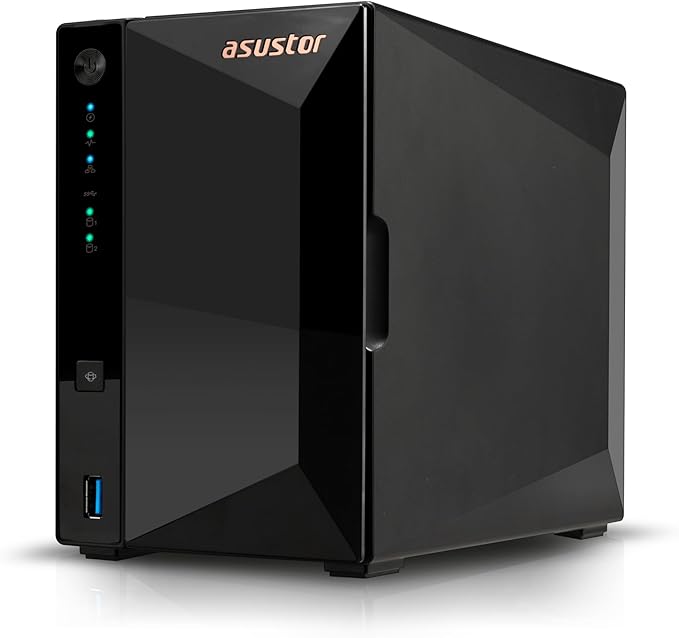
The AS1202T uses the same Realtek RTD1619B processor found in Synology's entry models, paired with 1GB of DDR4 RAM. That 1GB is tight. You will feel it if you try to run multiple apps simultaneously, and it limits how many concurrent users can access the NAS comfortably. For a single user or a small household doing basic file storage, it is adequate. For anything beyond that, step up to the Drivestor 2 Pro AS3302T V2 ($439 from Mwave) which doubles the RAM to 2GB.
Asustor's ADM (Asustor Data Master) software is functional but less polished than Synology DSM or QNAP QTS. The mobile apps are serviceable rather than excellent. Where Asustor genuinely shines is value. You get a capable 2-bay NAS for under $360, which is roughly $130 less than the Synology DS223. Asustor is distributed in Australia through Dicker Data, and stock availability at major retailers like Mwave and Scorptec has been consistent.
| Model | Asustor Drivestor 2 Gen2 AS1202T |
|---|---|
| CPU | Realtek RTD1619B, quad-core 1.7GHz |
| RAM | 1GB DDR4 (not expandable) |
| Drive Bays | 2x 3.5" SATA |
| Network | 1x Gigabit Ethernet |
| USB | 2x USB 3.2 Gen 1 |
| Warranty | 3 years |
| AU Price (Mwave) | $356 |
| AU Price (Scorptec) | $359 |
Pros
- Cheapest 2-bay NAS from a major brand in Australia
- Leaves room in a $500 budget for at least one drive
- Same RTD1619B processor as Synology's entry models
- HDMI output for direct media playback
Cons
- 1GB RAM is genuinely limiting. Don't expect to multitask
- ADM software is less polished than DSM or QTS
- Smaller app ecosystem than Synology or QNAP
- 1GbE only
Best 4-Bay Under $500: Asustor Drivestor 4 AS1104T / AS1204T
Want four drive bays under $500? Asustor is the only brand that gets you there. The Drivestor 4 AS1104T sits at $475 from Mwave, while the newer Drivestor 4 Gen2 AS1204T comes in at $498 from Mwave. The Gen2 model upgrades from the older RTD1296 to the RTD1619B processor. A worthwhile improvement for a $23 difference if it is in stock.
Four bays gives you meaningful flexibility. You can start with one or two drives and expand later, or run RAID 5 across four drives for a balance of capacity and redundancy. The catch is that 1GB of RAM limits what you can do beyond basic storage. These are not NAS units for running Docker containers, Plex, or multiple concurrent user workloads. They are pure storage appliances. And at this price, that is a fair trade-off.
The practical consideration: a 4-bay NAS under $500 sounds great, but you still need to buy four drives. Four 4TB IronWolf drives will add roughly $800-$900 to the total cost. If your budget is genuinely $500 all-in, a 2-bay NAS with one drive is a more realistic starting point. Check our best NAS hard drive guide for current AU drive pricing.
| Model | Asustor Drivestor 4 Gen2 AS1204T |
|---|---|
| CPU | Realtek RTD1619B, quad-core 1.7GHz |
| RAM | 1GB DDR4 (not expandable) |
| Drive Bays | 4x 3.5" SATA |
| Network | 1x Gigabit Ethernet |
| USB | 2x USB 3.2 Gen 1 |
| Warranty | 3 years |
| AU Price (Mwave) | $498 |
Pros
- Only 4-bay NAS under $500 in Australia
- RAID 5 capability for balanced storage and redundancy
- Room to grow. Start with two drives, add more later
- HDMI output for direct media playback
Cons
- 1GB RAM severely limits multitasking
- You still need to buy 2-4 drives on top. Total cost adds up fast
- 1GbE only
- Asustor's software ecosystem is the smallest of the big three
Also Worth Considering
Synology DS124. $279 (Mwave) / $289 (PLE)
The DS124 is a single-bay NAS. It runs the same RTD1619B processor as the DS223 but with only 1GB of RAM and space for one drive. A single-bay NAS has no redundancy. If the drive fails, your data is gone unless you have a separate backup. That said, the DS124 makes sense as a dedicated backup target, a remote office file server for one or two people, or a Surveillance Station box with the two included camera licences. At $279, it is the cheapest way into the Synology ecosystem.
Synology DS223J. $339 (PLE)
The DS223J is a 2-bay model positioned below the DS223. The "J" stands for the junior line. It has the same RTD1619B CPU but only 1GB of RAM versus 2GB. The $140-$150 saving over the DS223 is real, but that 1GB of RAM limits how many DSM packages you can run comfortably. If you plan to use the NAS purely for file storage and automated backups, the J model does the job. If you want to run Synology Photos, Drive, and other apps simultaneously, the extra $150 for the DS223 is well spent. Available from PLE for $339.
QNAP TS-233. $399 (PLE)
QNAP's entry-level 2-bay at $399. The TS-233 has an ARM Cortex-A55 processor, 2GB RAM, and a single 1GbE port. It is $100 cheaper than the TS-233 but loses the dual 2.5GbE ports. Which is the main reason to choose QNAP at this price. If 2.5GbE is not important, the Synology DS223 offers better software at a similar price. The TS-233 fits buyers who specifically want QNAP's ecosystem (perhaps for compatibility with an existing QNAP setup) on a tighter budget. For a broader look at QNAP options, see our QNAP NAS Australia guide.
TerraMaster F2-425. $459 (Scorptec)
TerraMaster is the wildcard. The F2-425 runs an Intel Celeron N5095 with 4GB of RAM. Significantly more processing power than any ARM-based NAS on this list. At $459 from Scorptec, it is an appealing spec sheet. The catch is software: TerraMaster's TOS (TerraMaster Operating System) is less mature than DSM or QTS, with a smaller app library and a less established track record for security updates. TerraMaster is distributed through DSTech in Australia, and the brand has limited retail presence. If you are technically confident and prioritise raw hardware specs over software polish, it deserves consideration. If you want reliability and ecosystem maturity, stick with Synology or QNAP.
Synology BeeStation 4TB. $489 (Mwave)
The BeeStation is a different proposition entirely. It ships with a 4TB drive pre-installed, so $489 gets you a ready-to-go storage device with no additional purchases needed. The trade-off is that BeeStation runs simplified software. It is not DSM. You cannot install packages, run Docker, or configure advanced features. It is designed as a personal cloud device for photo backup and file access, competing more with Google Drive and iCloud than with traditional NAS. If that is all you need, it is a genuinely good plug-and-play option. If you want any expandability or advanced features, get a proper NAS instead. For those looking to replace cloud subscriptions, our guide to replacing iCloud with a NAS is worth reading.
What About UGREEN NAS?
UGREEN entered the Australian market in early 2026 with two models: the DH2300 (2-bay, ~AU$339-$359) and the DH4300 Plus (4-bay, ~AU$595-$629). Both are available directly from UGREEN AU, Scorptec, and PLE. Note: neither model is listed on Amazon AU, so standard Amazon affiliate cashback and Prime delivery do not apply.
The DH2300 at $339 sits within this price bracket and is worth considering if you want a 2-bay NAS with a modern UGOS Pro interface. However, UGREEN's software ecosystem is newer than Synology DSM or QNAP QTS. For a first NAS where software maturity matters, the Synology DS223 remains the safer choice.
The higher-spec DXP range (DXP4800 Plus, DXP6800 Pro) exists on UGREEN's global website but is not yet available in Australia due to supply shortages. Do not order DXP models from grey-market importers expecting local warranty support.
How to Choose: Decision Guide
Choosing between these models comes down to three questions: what do you need it for, how much do you want to spend on drives, and how technically confident are you?
Simple rule of thumb: If you want the easiest setup and best apps, buy Synology. If you want 2.5GbE networking under $500, buy the QNAP TS-233. If you want the lowest entry price from a major brand, buy Asustor.
For photo backup and file sync (replacing Google Drive or iCloud): The Synology DS223 ($489) is the clear pick. Synology Photos and Synology Drive are the best apps in the NAS space for this use case. The DS223J (~$445) also works if you only need basic functionality.
For a home media server (DLNA, not Plex transcoding): Any 2-bay model here will handle DLNA streaming of already-compatible files. If you need Plex with transcoding, none of these sub-$500 models will deliver. You need a Plus-series Synology (DS225+ at $585 from Mwave) or a Celeron-based QNAP.
For network storage with the fastest transfers: The QNAP TS-233 ($499) with its dual 2.5GbE ports. Pair it with a 2.5GbE switch and you will see real-world improvements over 1GbE, especially when transferring large files or backing up multiple devices simultaneously.
For maximum drive capacity on a budget: The Asustor Drivestor 4 Gen2 AS1204T ($498) gives you four bays. Start with two drives in RAID 1 and expand when budget allows.
For a first NAS with the lowest risk: Buy from a specialist retailer like Scorptec or PLE where you can get genuine pre-sales guidance. Not from Amazon where the price might be better but the support is nonexistent. Most Australian NAS retailers operate on 3-5% margin, so pricing is remarkably uniform across the major stores. The real difference between retailers is what happens when something goes wrong.
The Real Cost: NAS + Drives
The sticker price of a NAS is only part of the cost. NAS-grade drive prices have risen significantly from early 2025 levels. 4TB NAS drives that were comfortably under $160 are now consistently above $200. Distributors are securing stock allocations further forward than usual, reflecting global supply chain constraints. Here is what a realistic total cost looks like in February 2026:
| Configuration | NAS Cost | Drive Cost (approx) | Total |
| Synology DS124 + 1x 4TB IronWolf | $279 | $200-$220 | $479-$499 |
| Asustor AS1202T + 1x 4TB IronWolf | $356 | $200-$220 | $556-$576 |
| Synology DS223J + 2x 4TB IronWolf (RAID 1) | $339 | $400-$440 | $739-$779 |
| Synology DS223 + 2x 4TB IronWolf (RAID 1) | $489 | $400-$440 | $889-$929 |
| QNAP TS-233 + 2x 4TB IronWolf (RAID 1) | $499 | $400-$440 | $899-$939 |
| Synology BeeStation 4TB (drives included) | $489 | $0 | $489 |
As the table shows, a "$500 NAS" quickly becomes a $750-$900+ investment once you add drives. This is normal, and it is worth investing in proper NAS-grade drives rather than repurposing old desktop drives. NAS drives are designed for 24/7 operation, handle vibration better in multi-bay enclosures, and come with firmware optimised for RAID environments. See our best NAS hard drive guide for specific drive recommendations and current AU pricing.
Buying Tips for Australian NAS Shoppers
Australian Consumer Law: ACL protections apply when purchasing from Australian retailers. Your warranty claim goes to the retailer, not the manufacturer. Synology, QNAP, and Asustor do not have service centres in Australia. Where you buy matters as much as what you buy. Always check the retailer's warranty process before purchasing. For official information on your rights, visit accc.gov.au.
Buy from a specialist retailer. Scorptec, PLE, and Mwave all carry comprehensive NAS ranges and can provide genuine pre-sales advice. Amazon AU has started holding NAS stock directly in 2026, often at competitive prices, but their support model means you are on your own if a unit fails with your data inside it. When you buy from a specialist reseller, they can access distributor and vendor stock to find you a replacement. Amazon can only offer what is in their warehouse. If it is not there, you get a credit and have to sort it out yourself.
Check NBN compatibility. If you plan to access your NAS remotely, check whether your ISP uses CGNAT (Carrier-Grade NAT). CGNAT blocks incoming connections, which means remote access via Synology QuickConnect or QNAP myQNAPcloud may not work without a workaround. Some ISPs will remove CGNAT on request; others charge for a static IP. On a typical NBN 100 plan, upload speeds sit around 20-40 Mbps, which is adequate for remote file access but slow for large transfers. A 250 or 1000 Mbps plan can significantly improve upload speeds if remote access is a priority.
Do not skip the backup strategy. A NAS is not a backup. It is a storage device. If there is a drive failure, power surge, fire, or theft, your data is at risk. Build a 3-2-1 backup strategy from day one: three copies of your data, on two different media types, with one copy offsite. All three major NAS brands support cloud sync to services like Backblaze B2, Wasabi, or Google Drive for that offsite copy.
Plan for failure. NAS hardware failure is a matter of when, not if. The standard warranty process in Australia runs through the full chain. Retailer to distributor to vendor in Taiwan, then back again. Expect 2-3 weeks minimum for a resolution. Advanced replacements are generally not available through standard warranty processes. Before you buy, have the "what if" conversation with your retailer: ask what their process is if the unit fails, how long it takes, and whether an advanced replacement is available. The answer tells you more about the value of buying from that retailer than the price on the sticker.
Sales happen year-round. Gone are the days of waiting for Black Friday to buy tech. Australian retailers run rolling sale events throughout the year. EOFY, Click Frenzy, quarterly sales, and various promotional periods. If you need a NAS now, buy it now. The price will not be dramatically different in six months, and in 2026, stock might not be available when you want it. If you are buying for business, always request a formal quote. Resellers can access distributor and vendor pricing support that never appears on the website.
Exploring other budgets? If $500 is still too much, our best NAS under $300 guide covers the limited but usable options at the entry level. If you can stretch further, the best NAS under $1,000 guide opens up 4-bay units with proper performance and a significantly better software experience.
Don't overlook ongoing running costs when budgeting. Our NAS Running Cost guide calculates annual electricity and total cost of ownership for typical AU setups by state electricity rate.
Our RAID Calculator shows usable capacity for 2-bay and 4-bay configurations at this price bracket, and our NAS Power Cost Calculator estimates annual running cost at your AU state electricity rate.
Use our free NAS Sizing Wizard to get a personalised NAS recommendation.
Is a NAS under $500 worth buying in Australia?
Yes, if your expectations are realistic. A sub-$500 NAS handles file storage, photo backup, automated backups, basic media streaming, and cloud sync well. It will not run Plex with transcoding, heavy Docker workloads, or virtual machines. For a home user who wants centralised storage and to move away from cloud subscription fees, a NAS in this price range delivers genuine value. Remember that the NAS price is only part of the cost. You need to budget for drives separately (except the Synology BeeStation which includes a drive).
Should I buy a 1-bay or 2-bay NAS?
Buy a 2-bay NAS unless budget is extremely tight. A single-bay NAS has no built-in redundancy. If the drive fails, you lose everything on it unless you have a separate backup. A 2-bay NAS running RAID 1 or SHR mirrors your data across both drives, meaning one drive can fail without data loss. The price difference between a 1-bay and 2-bay model is typically $100-$200, which is cheap insurance for your data. If you can only afford one drive now, buy a 2-bay NAS and add the second drive later.
Can I use a sub-$500 NAS as a Plex media server?
For direct play (streaming files that your device can play natively without conversion), yes. Any NAS on this list can run the Plex server app and serve media files. For transcoding (converting video on-the-fly for devices that cannot play the original format), no. All the sub-$500 models use ARM processors without hardware transcoding support. You need an Intel or AMD processor with Quick Sync (Synology DS225+ at $585) or a Celeron/Ryzen-based QNAP or Asustor for that. See our best NAS for Plex guide for models that handle transcoding.
Which brand is best for a first-time NAS buyer. Synology, QNAP, or Asustor?
Synology. The setup process is the simplest, the interface (DSM) is the most intuitive, and the mobile apps are the most polished. QNAP offers more features and configuration options but has a steeper learning curve. Asustor offers good value but its software ecosystem is the smallest. For someone who has never used a NAS before and wants it working with minimal friction, Synology is the safest choice. For more detail on the differences, read our Synology vs QNAP comparison.
What hard drives should I buy for a budget NAS?
Stick with NAS-grade drives: Seagate IronWolf or WD Red Plus are the standard recommendations. Both are designed for 24/7 operation in NAS enclosures, handle vibration in multi-bay setups, and come with 3-year warranties. Avoid desktop drives (WD Blue, Seagate Barracuda). They are not designed for continuous operation and will fail sooner in a NAS environment. Avoid SMR (shingled magnetic recording) drives, which have significantly slower write performance in RAID rebuilds. NAS drive prices have risen in 2025-2026, so budget $200+ per 4TB drive. Our NAS hard drive guide has current Australian pricing.
Can I access my NAS remotely on Australian NBN?
It depends on your ISP and plan. Most NBN connections support remote access via the NAS vendor's relay service (Synology QuickConnect, QNAP myQNAPcloud, Asustor EZ-Connect). However, some ISPs use CGNAT (Carrier-Grade NAT), which blocks incoming connections and can prevent direct remote access. Contact your ISP to check. Many will remove CGNAT on request or offer a static IP for a small monthly fee. Upload speeds on a typical NBN 100 plan sit around 20-40 Mbps, which is adequate for accessing files and photos remotely but slow for large uploads or video streaming.
Is it safe to buy a NAS from Amazon AU instead of a specialist retailer?
Amazon AU has excellent returns and refund policies. If you want your money back, the process is fast. Where Amazon falls short is replacements. If your NAS fails and you need a like-for-like replacement, Amazon may not have stock. Especially for older or less common models. They will typically push to issue a credit or refund rather than managing a warranty replacement. A specialist reseller like Scorptec or PLE can access distributor and vendor stock through the distribution chain to source a replacement or suitable alternative. Amazon cannot. For technically confident buyers who have a solid backup strategy, Amazon is a valid option. For first-time NAS buyers or business-critical deployments, buy from a specialist.
Not sure which NAS is right for your setup? Our comprehensive guide covers every price range and use case for Australian buyers.
Read the Full Best NAS Australia Guide →